app.vendocerta.com/vendors/new
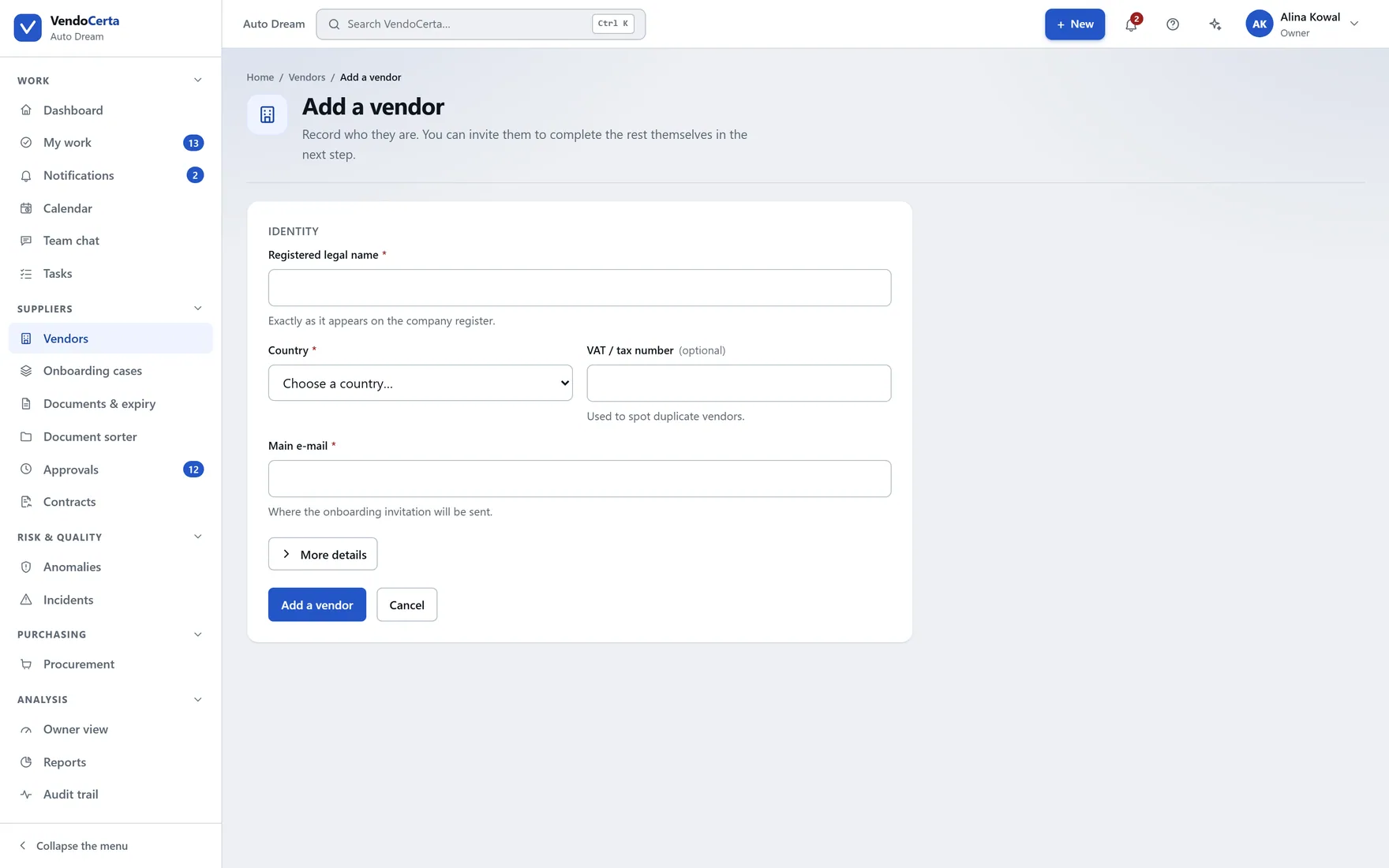
Adding a supplier
A record first, then Start onboarding. Defaults for risk level and language come from company settings, so a new supplier is not a blank form.
The product
This page walks the whole application, area by area, using captures of the running product. Where a screen behaves in a way that surprises people, it says so — including the places where the surprise is deliberate.
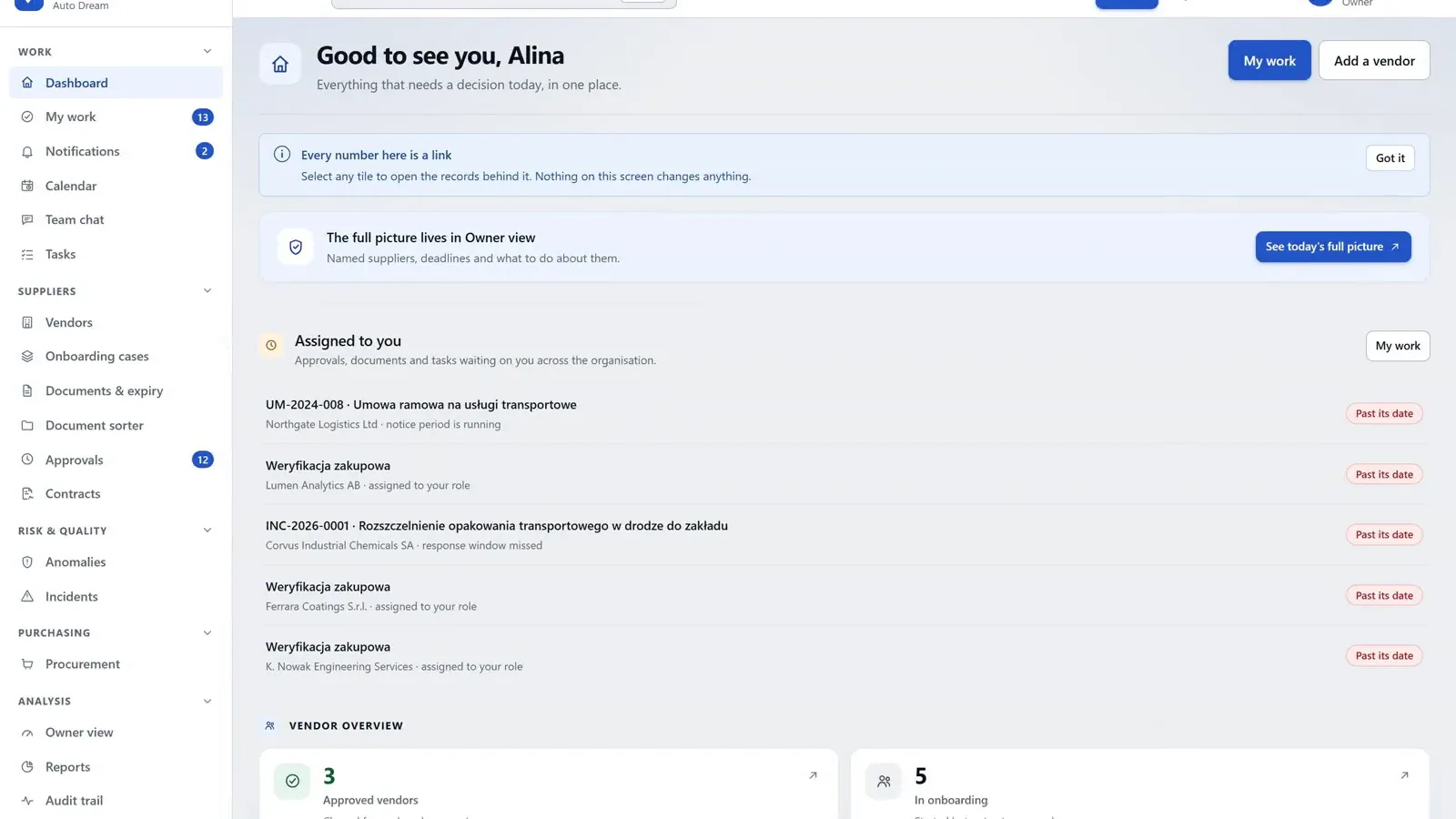
The register
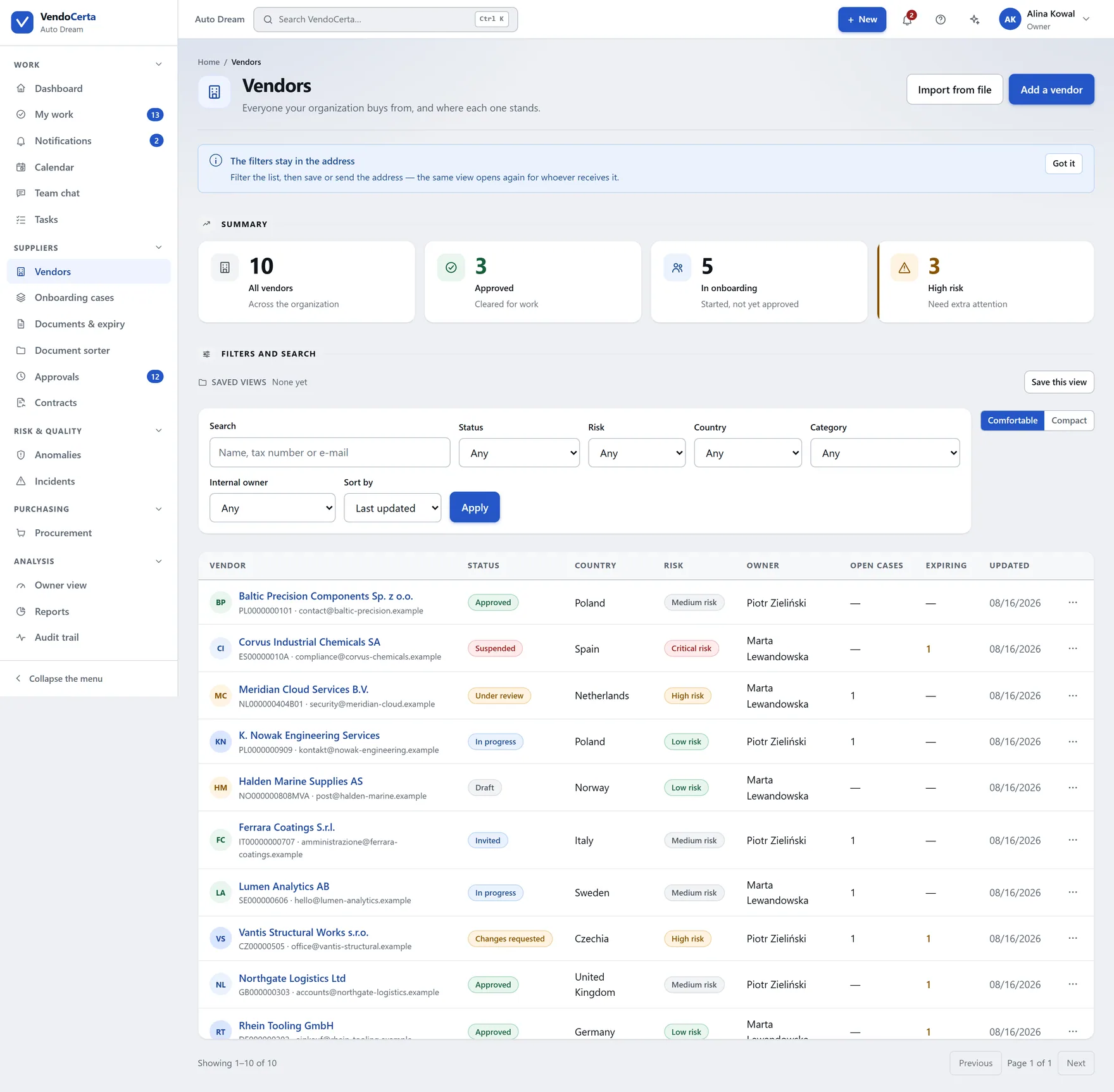
One place for every supplier whatever stage they are at, with a controlled status, a risk level, a country and a named internal owner. Four summary tiles sit above the filters — and the product is candid that two of them behave differently from what their names suggest.
A record first, then Start onboarding. Defaults for risk level and language come from company settings, so a new supplier is not a blank form.
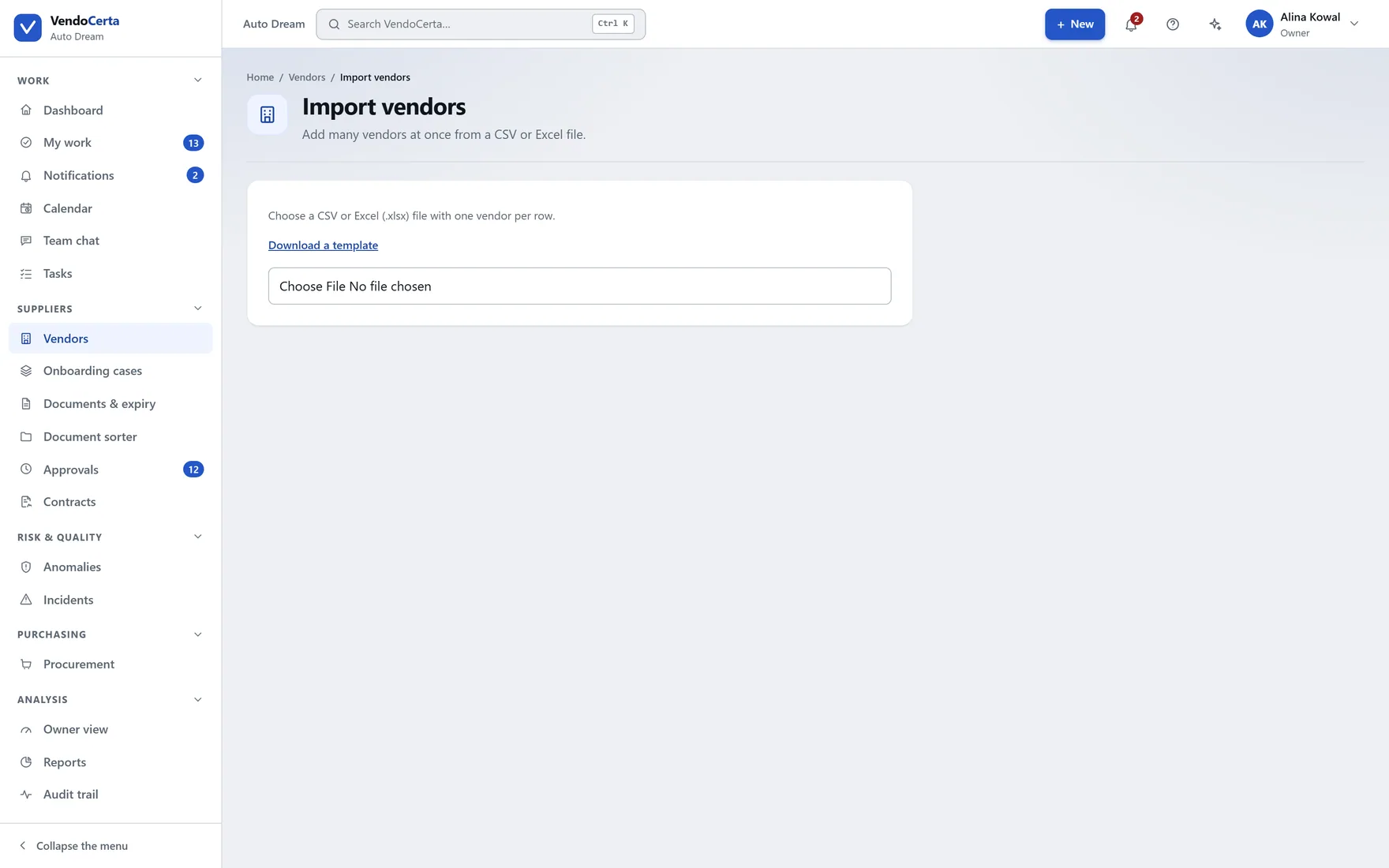
Bringing an existing supplier base in from a spreadsheet, rather than typing three hundred rows to get started.
Cases & the portal
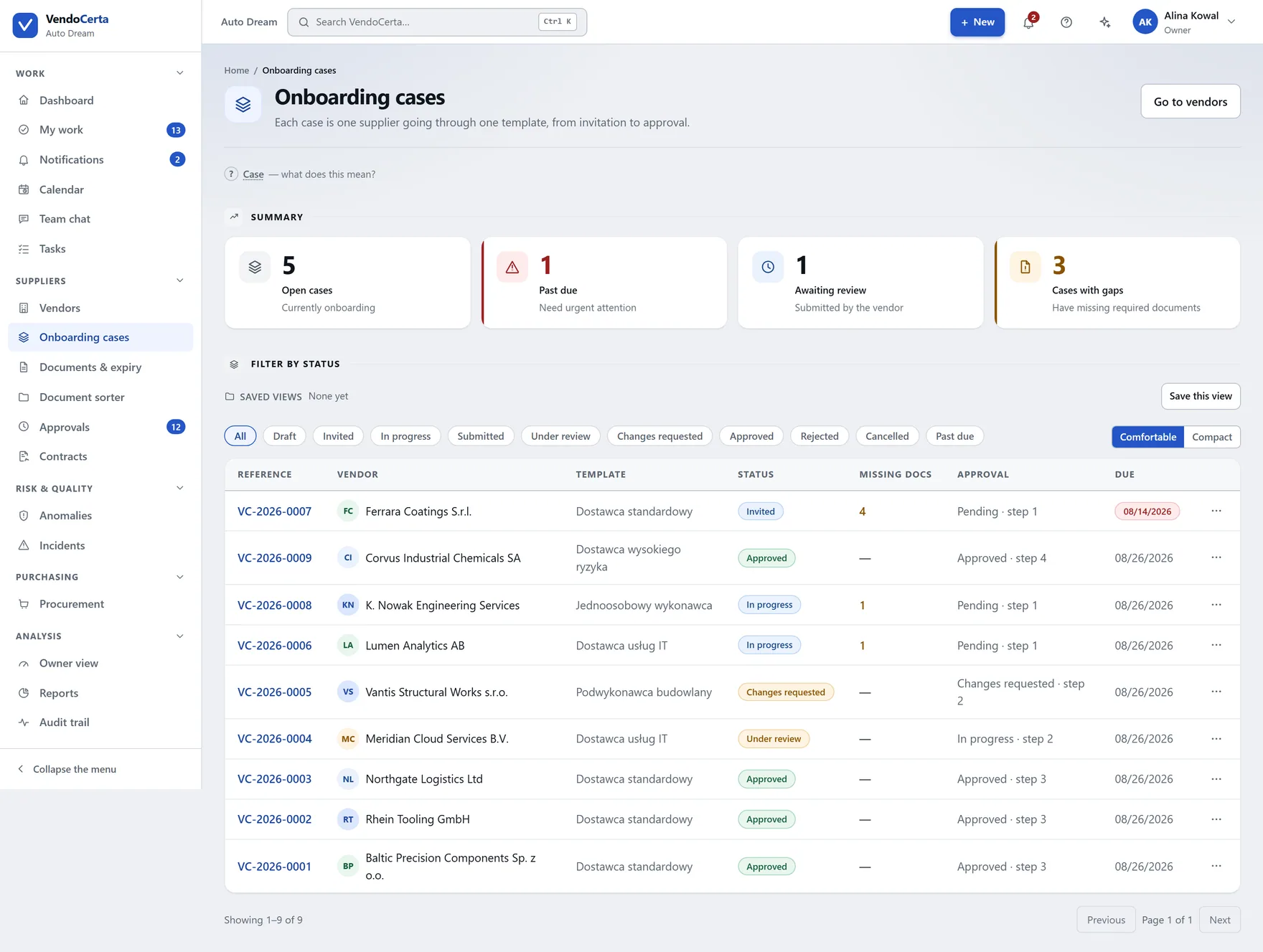
Clicking Start onboarding creates a case with its own reference — VC-2026-0010 — and from that point the case screen, not the supplier record, is where you see what stage things are at. Each case is split into four steps — vendor details, documents, approvals, summary — and opens straight to the one where it is blocked, which is not always the first.
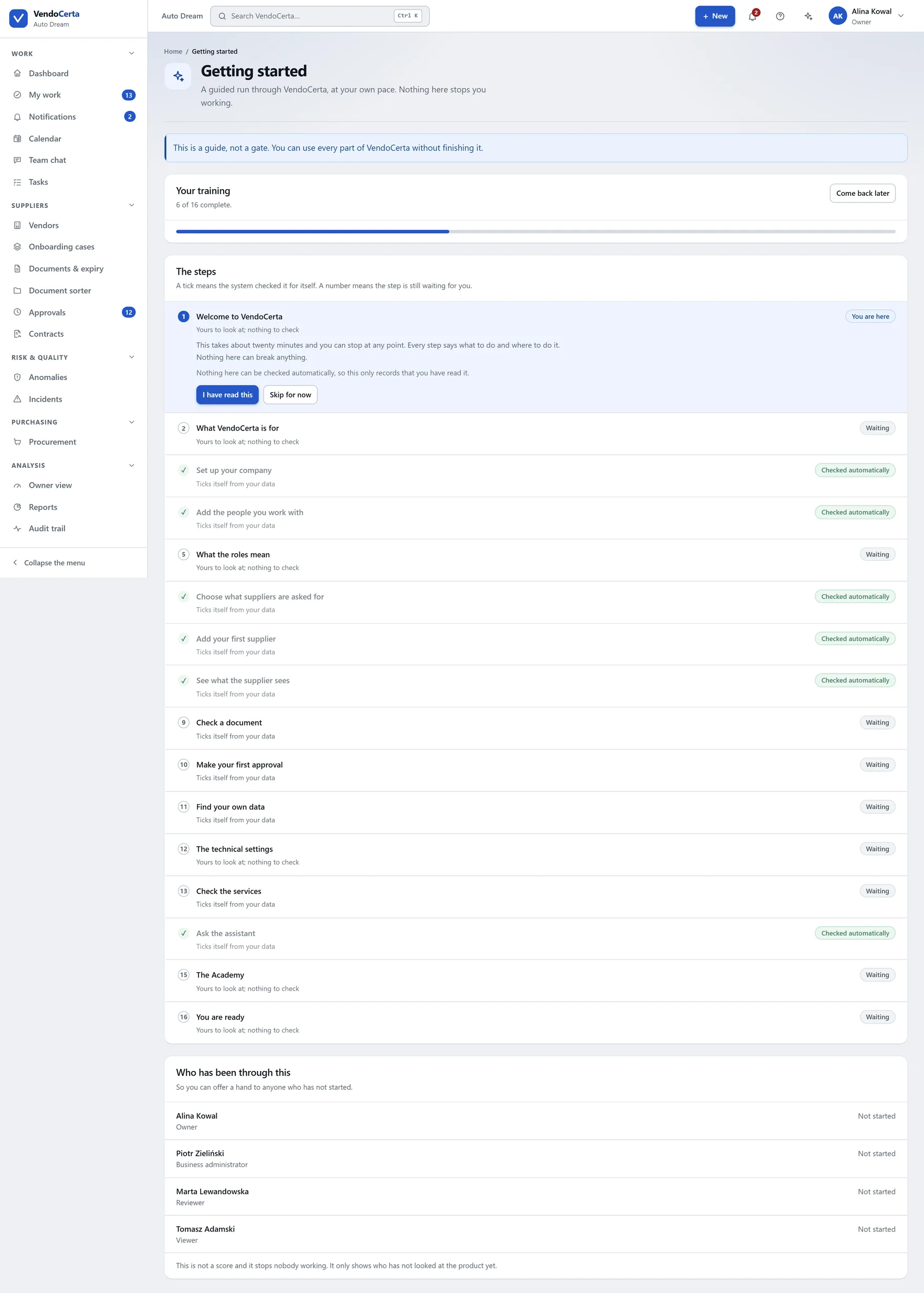
The Getting started screen is a guided run through the product at your own pace — and, as its own banner says, a guide rather than a gate: every part of VendoCerta works without finishing it. Several steps tick themselves off from your data.
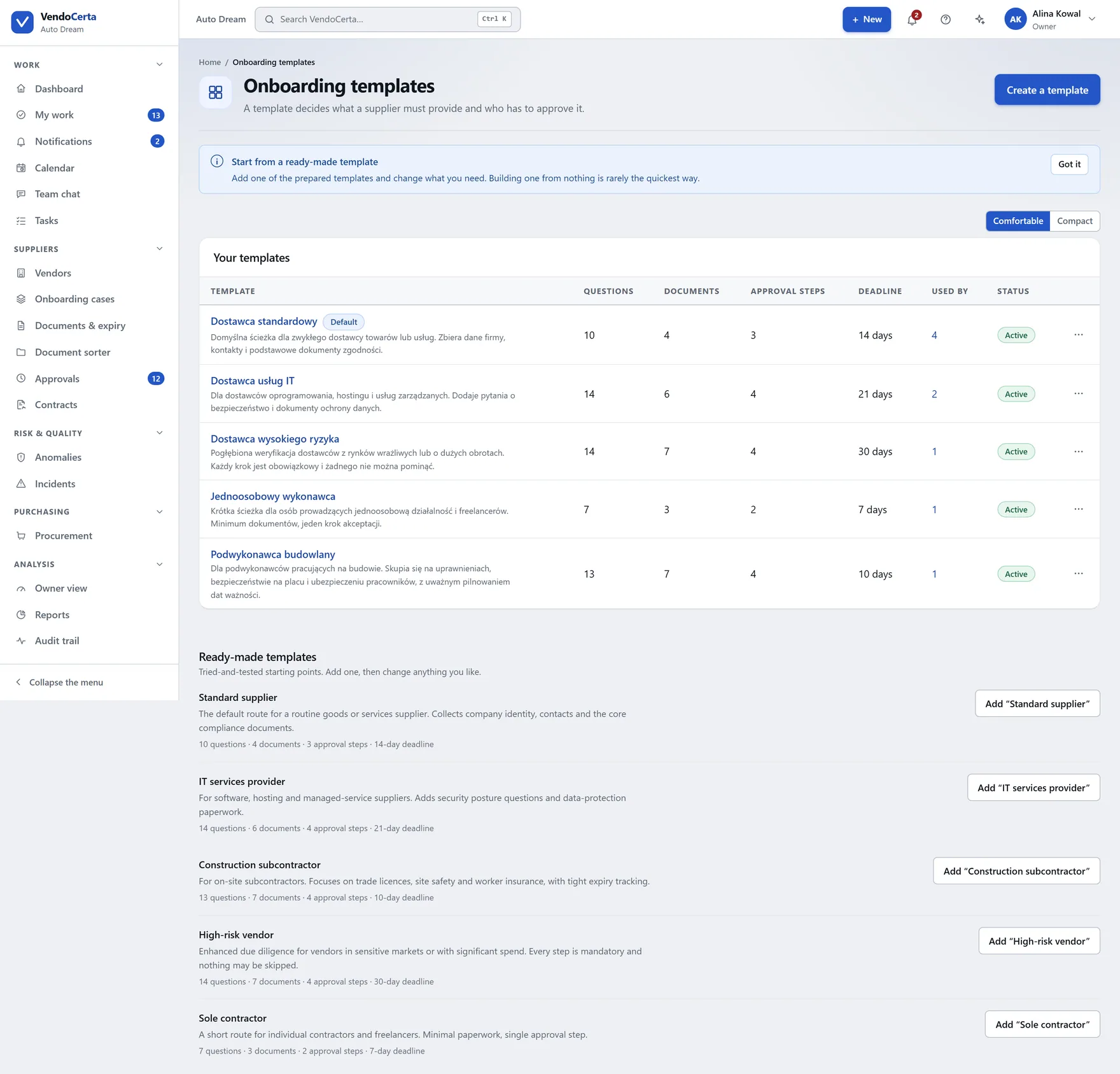
Questions for the supplier, required documents, approval steps in order, deadline and reminder days. A case freezes its own copy, so editing a template never rewrites history.
Documents
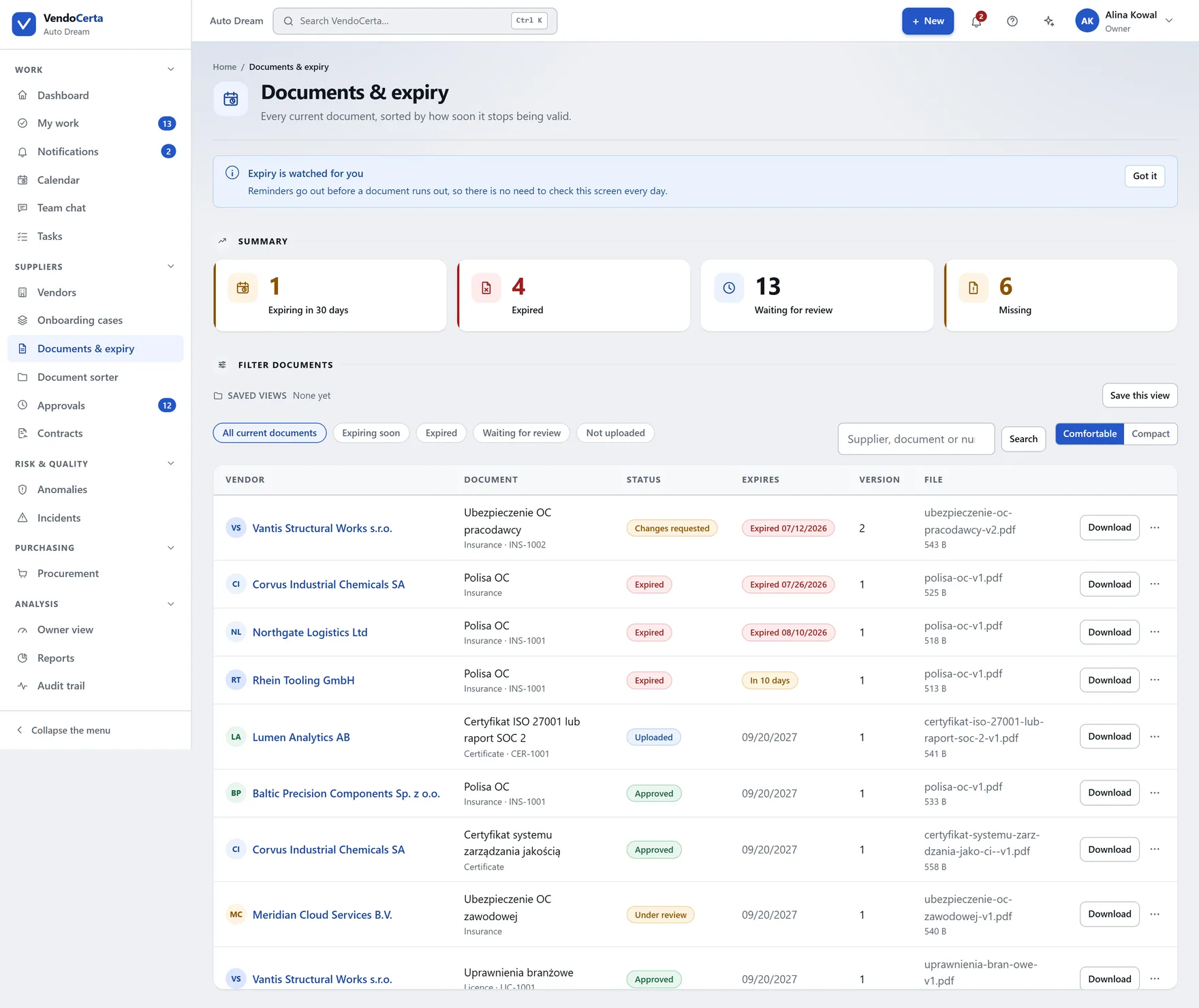
Documents & expiry shows every supplier at once, sorted by what is about to go wrong. The decision itself happens inside a case, next to the requirement it satisfies — accept, request a correction, or reject, each with a reason the supplier sees.
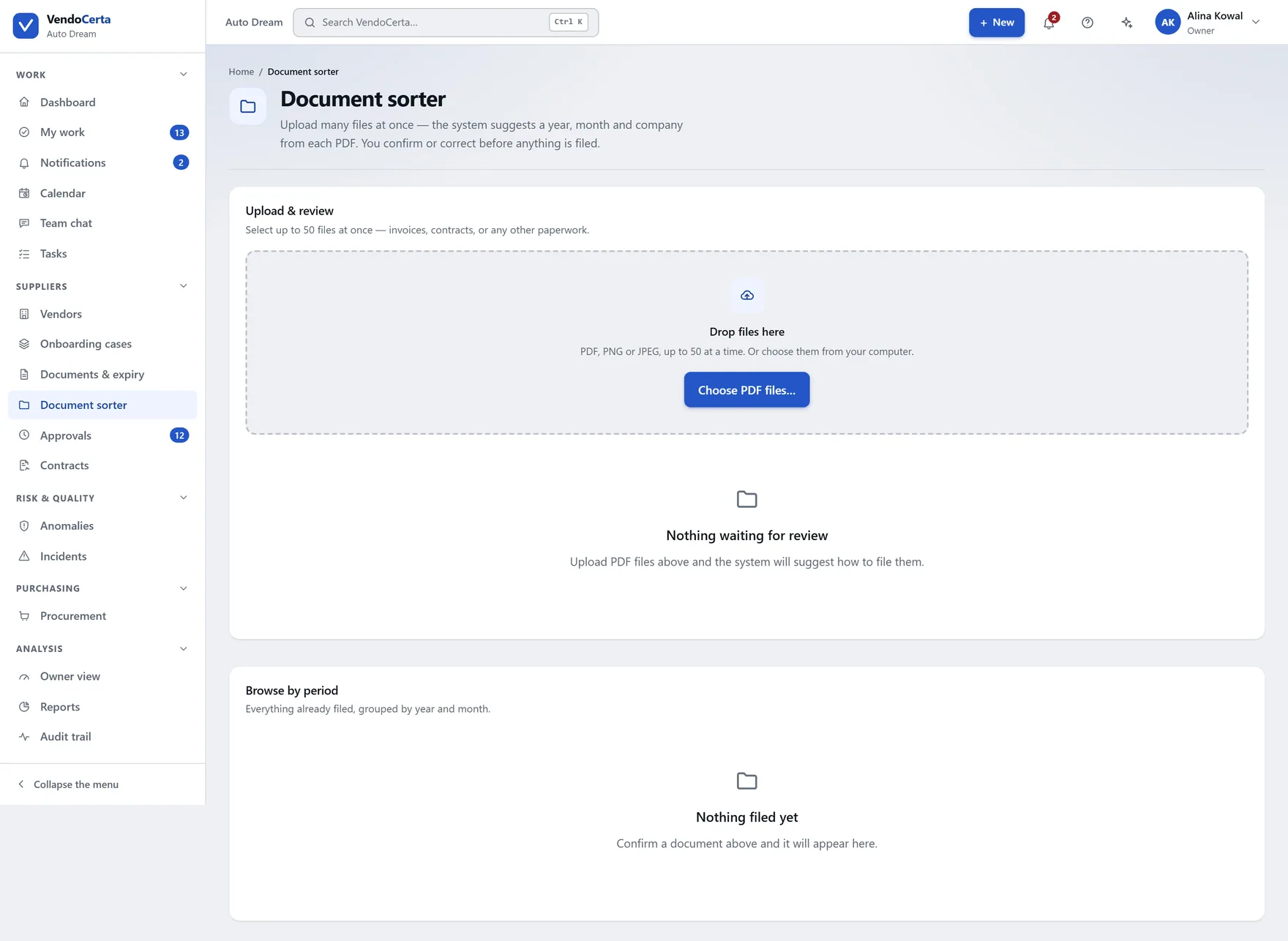
For files that arrive outside the flow: match an incoming document to the supplier and the requirement it belongs to, instead of filing it by hand.
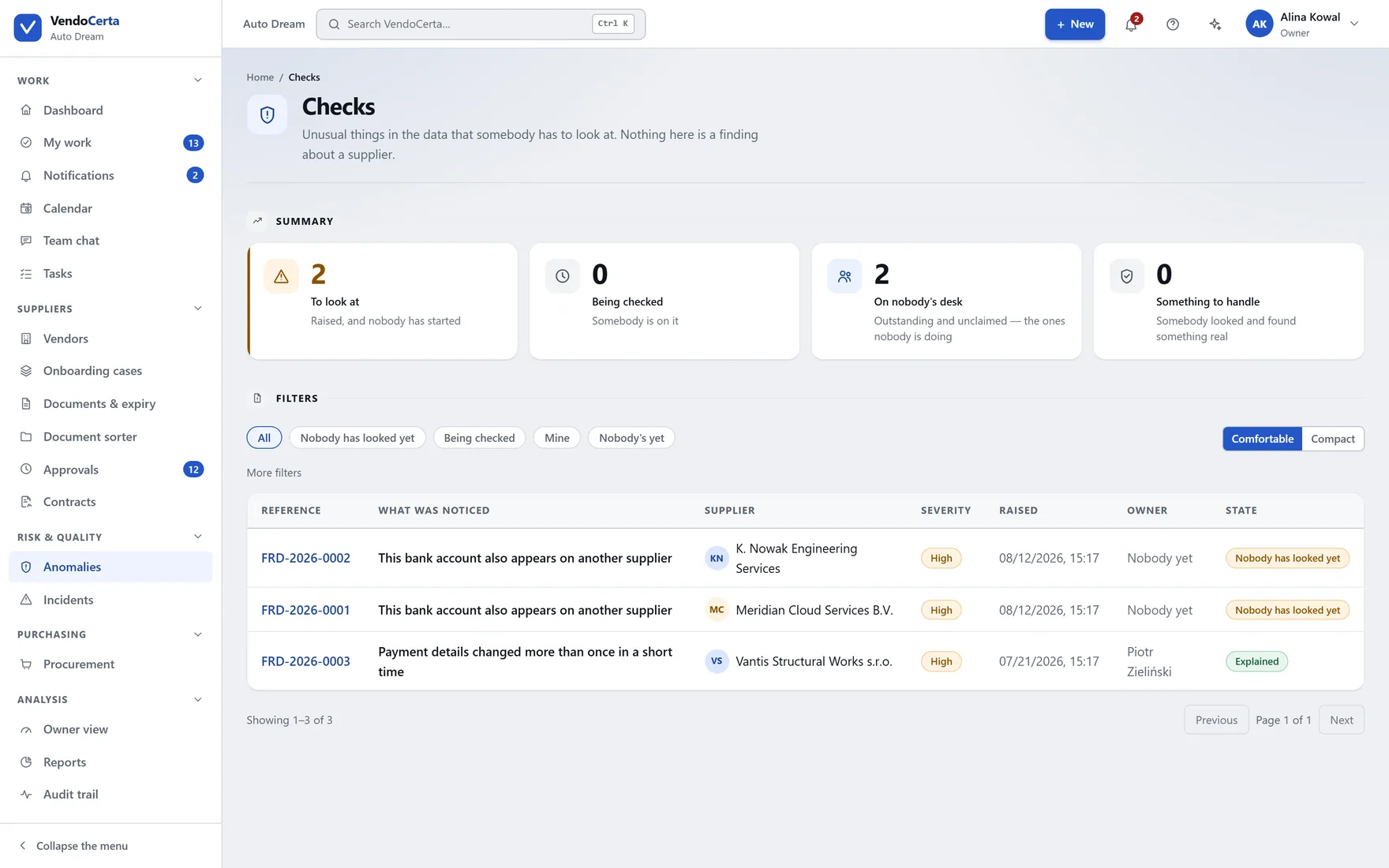
Scheduled verification against suppliers already in the register — the routine re-look that otherwise depends on somebody remembering.
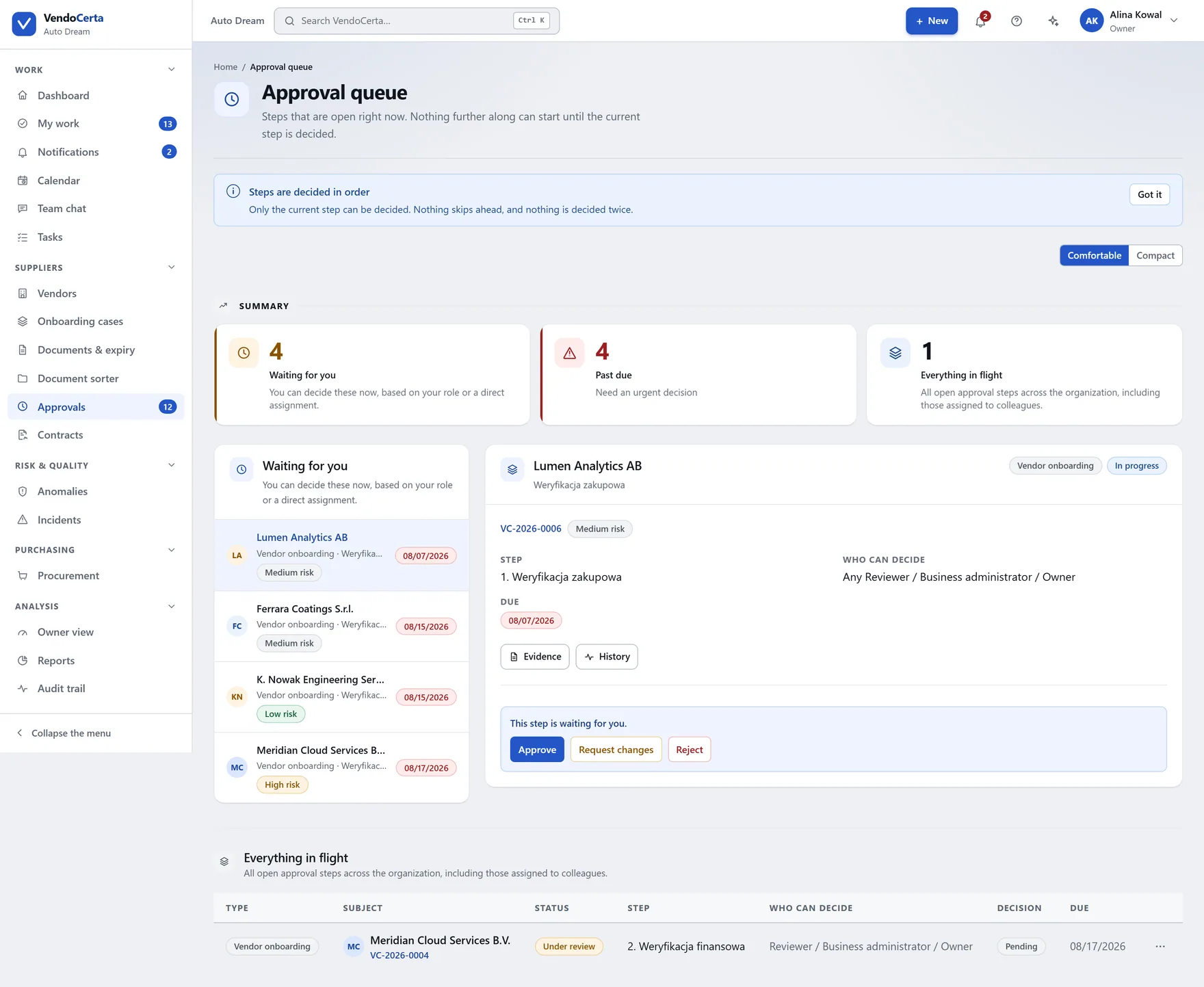
Approvals
Waiting on you, overdue, all in progress. Click an item and — on a wide screen — a decision panel opens beside the queue, so you handle one after another without navigating back and forth. On a narrower screen the link takes you to the case.
Every day
Onboarding is the spine, but a supplier relationship is contracts running out, incidents to answer, tasks somebody owes and a calendar of dates nobody should be holding in their head.
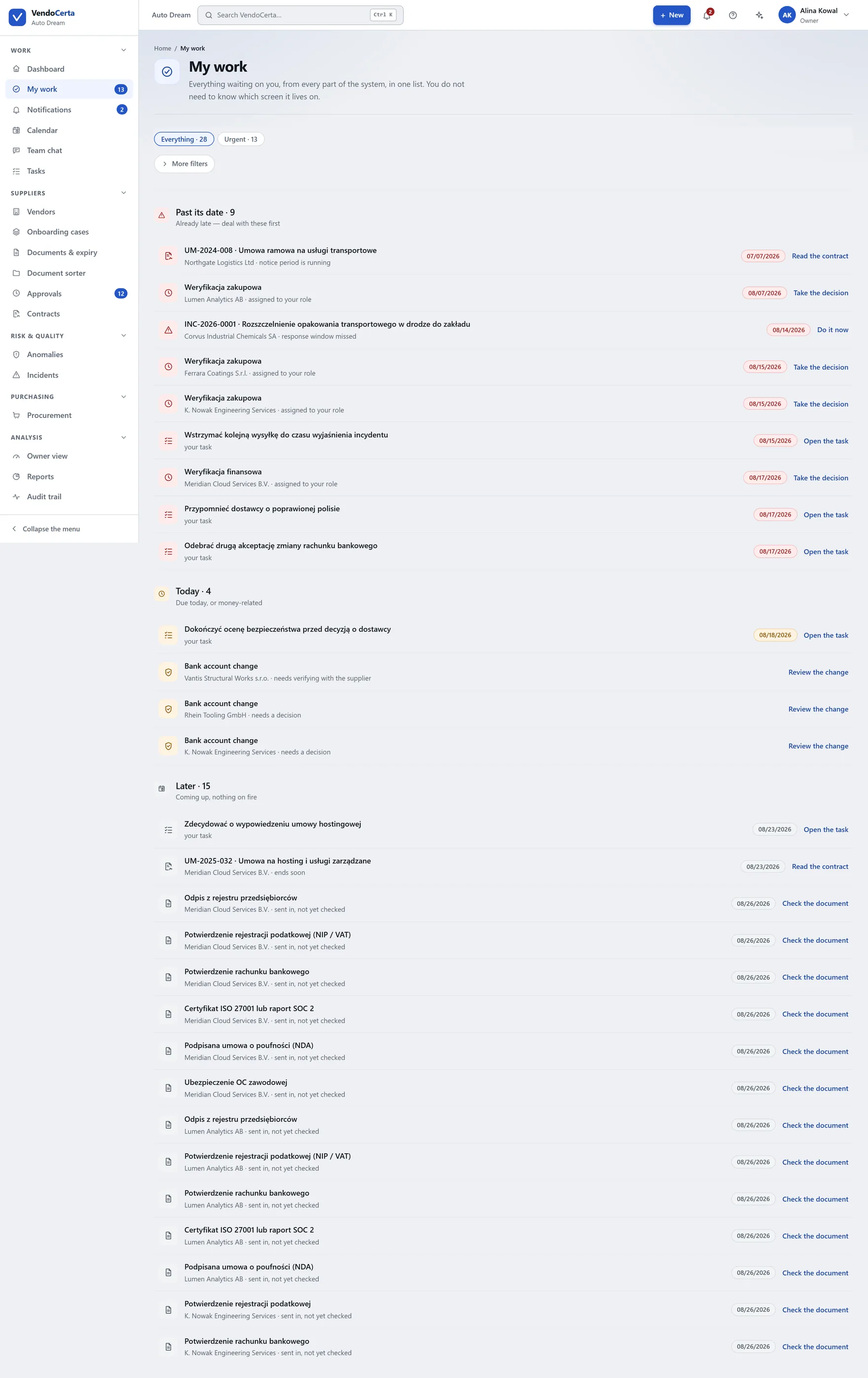
Approvals, document decisions and tasks assigned to you, in one queue rather than three screens each holding a third of your day.
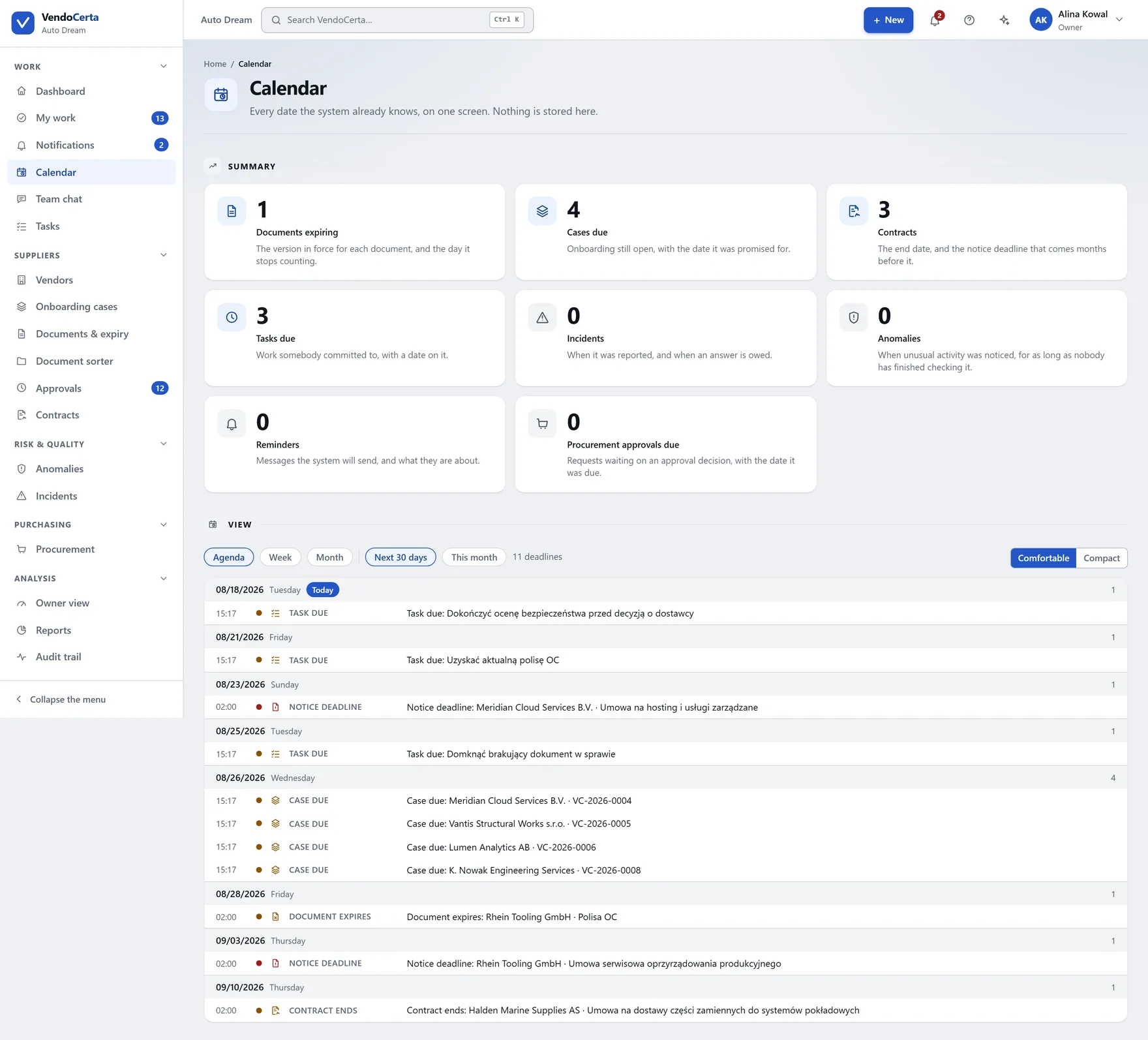
Every expiry, deadline and notice period on one dated view. The same dates the automatic reminders are driven from.
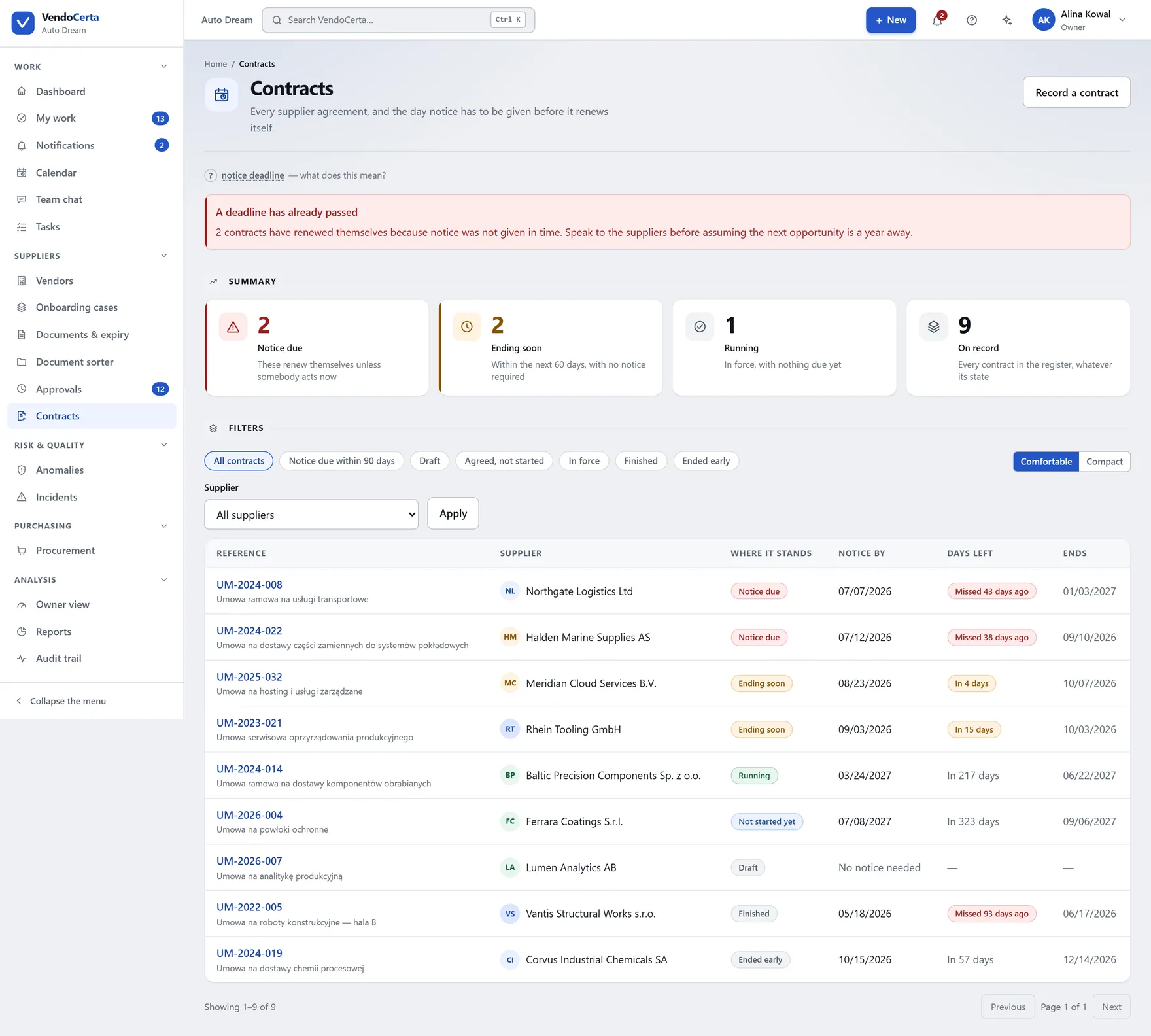
Agreements held against the supplier they belong to, with their dates and notice periods surfacing in the same queues as everything else.
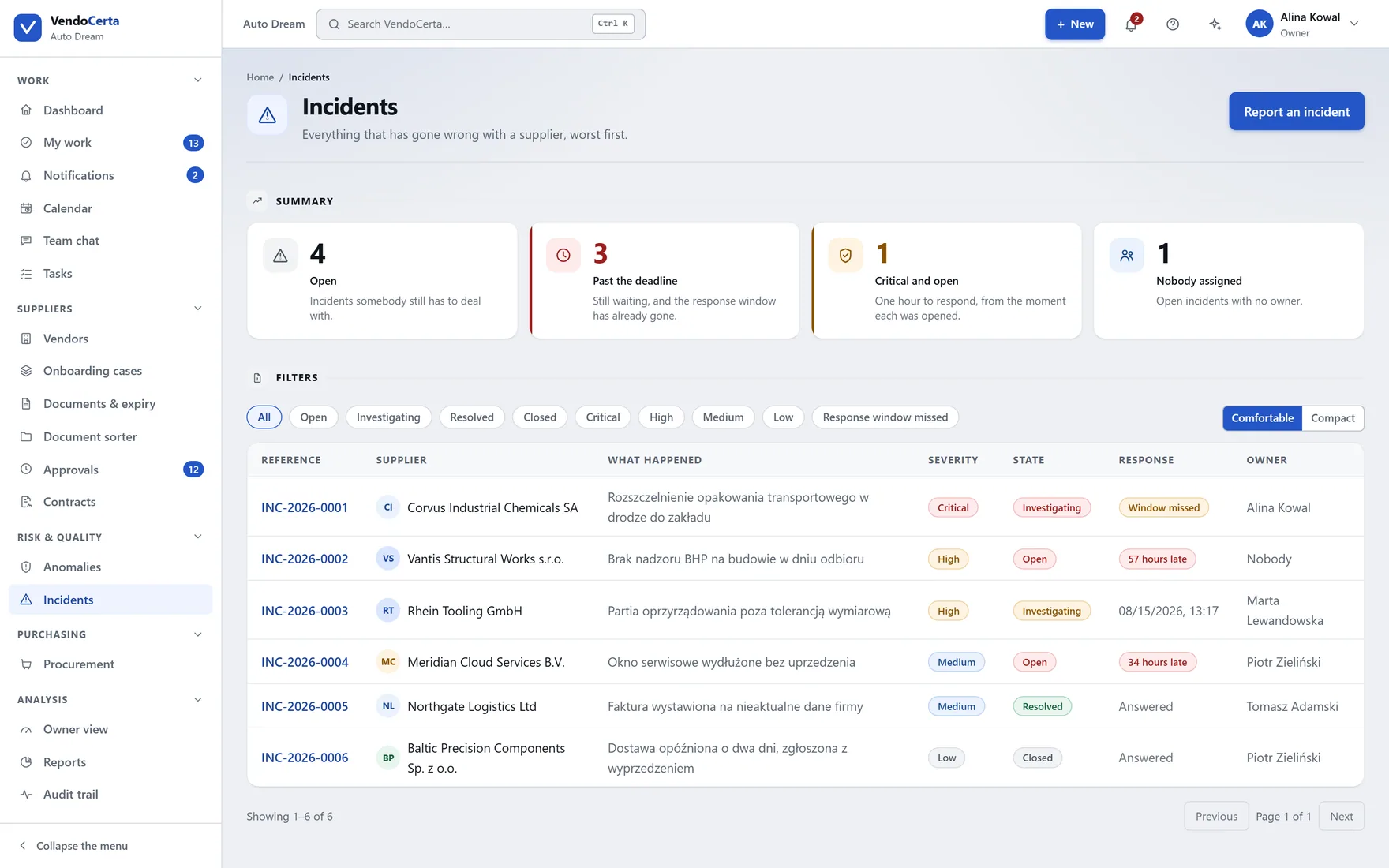
Something went wrong with a delivery or a supplier: raised, given a response window, and tracked against the record rather than an e-mail thread.
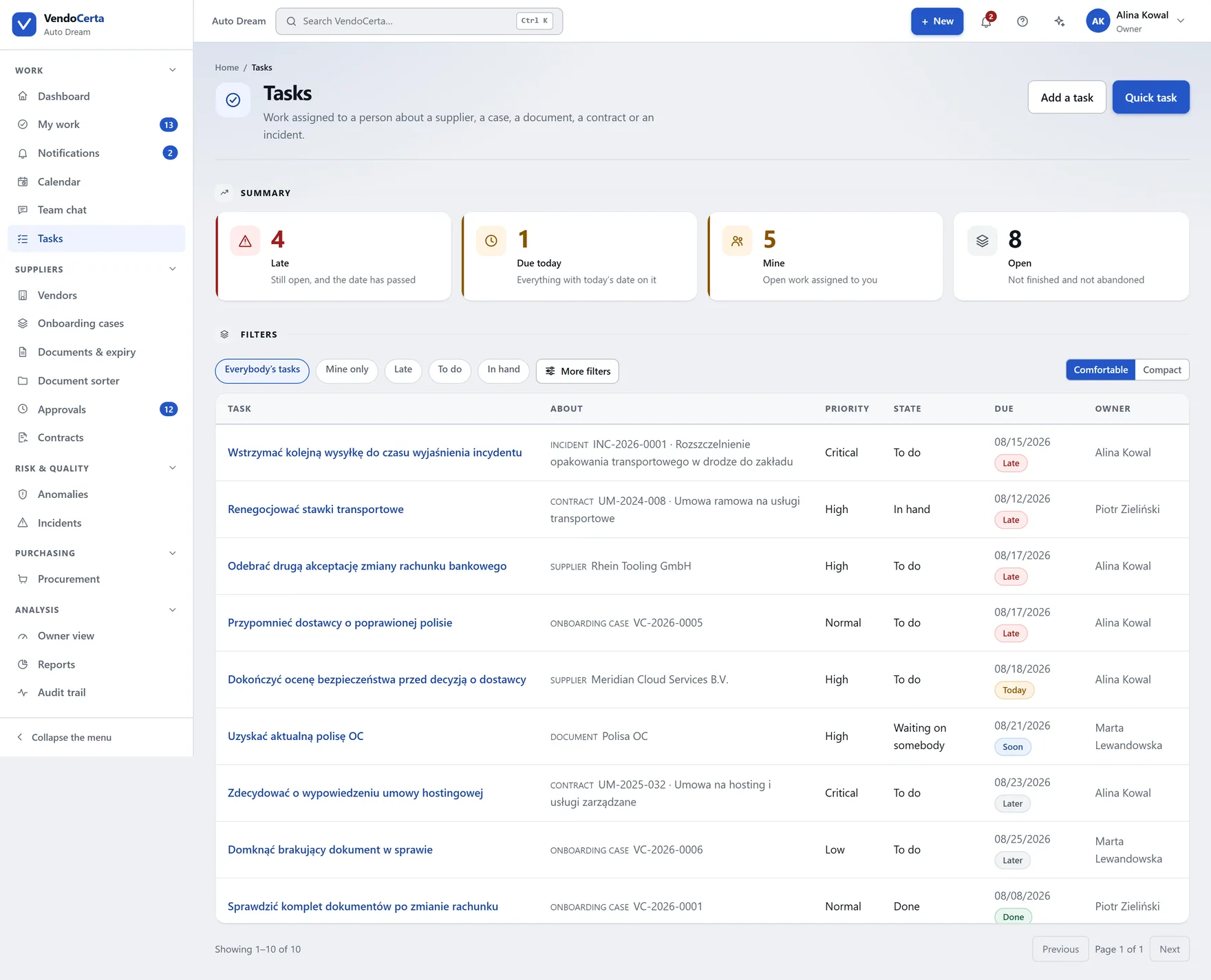
Work assigned to a person or a role, with a due date, appearing in their queue.
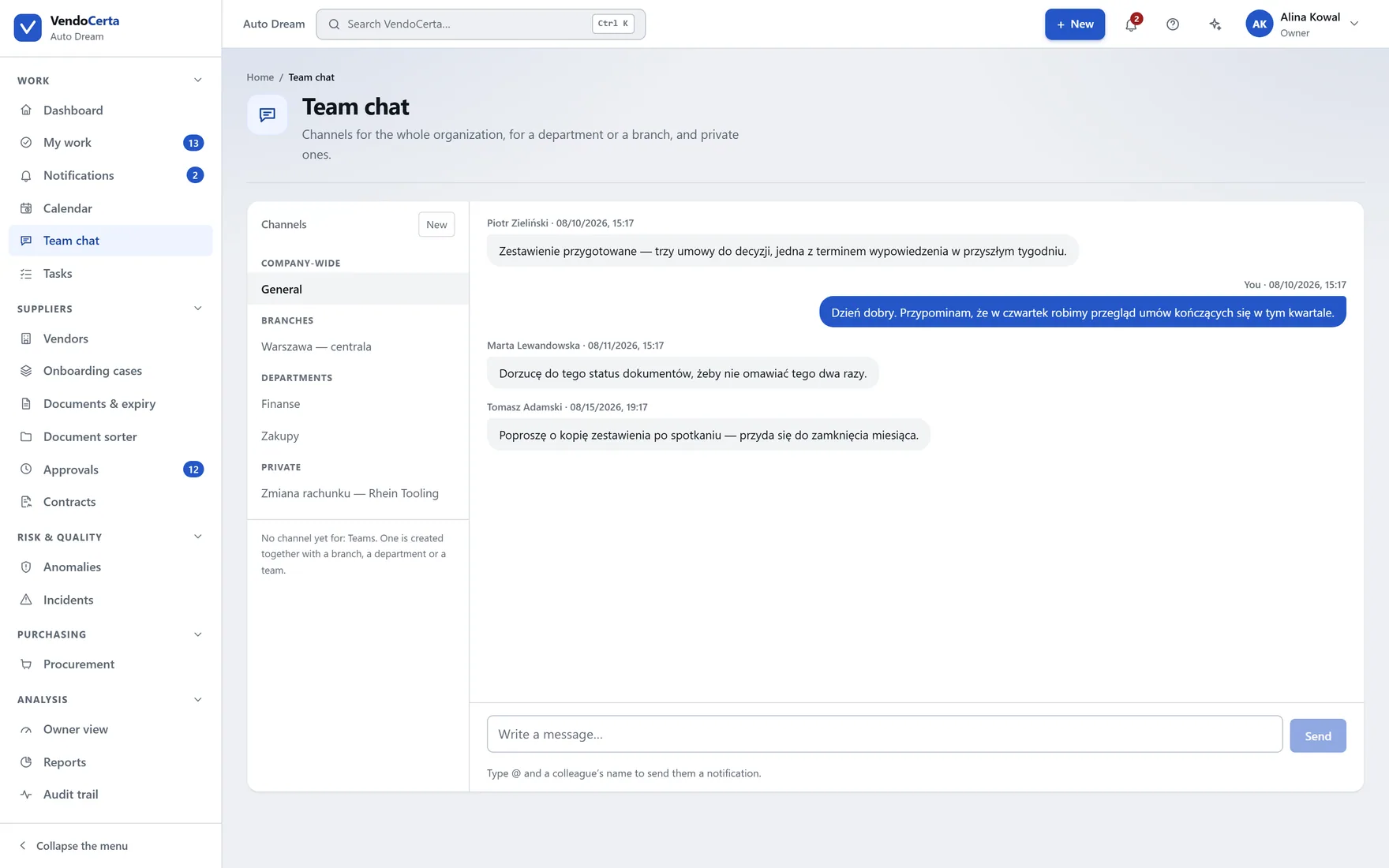
The reasoning behind a decision stays in the installation with the record, instead of in somebody’s inbox.
Analysis
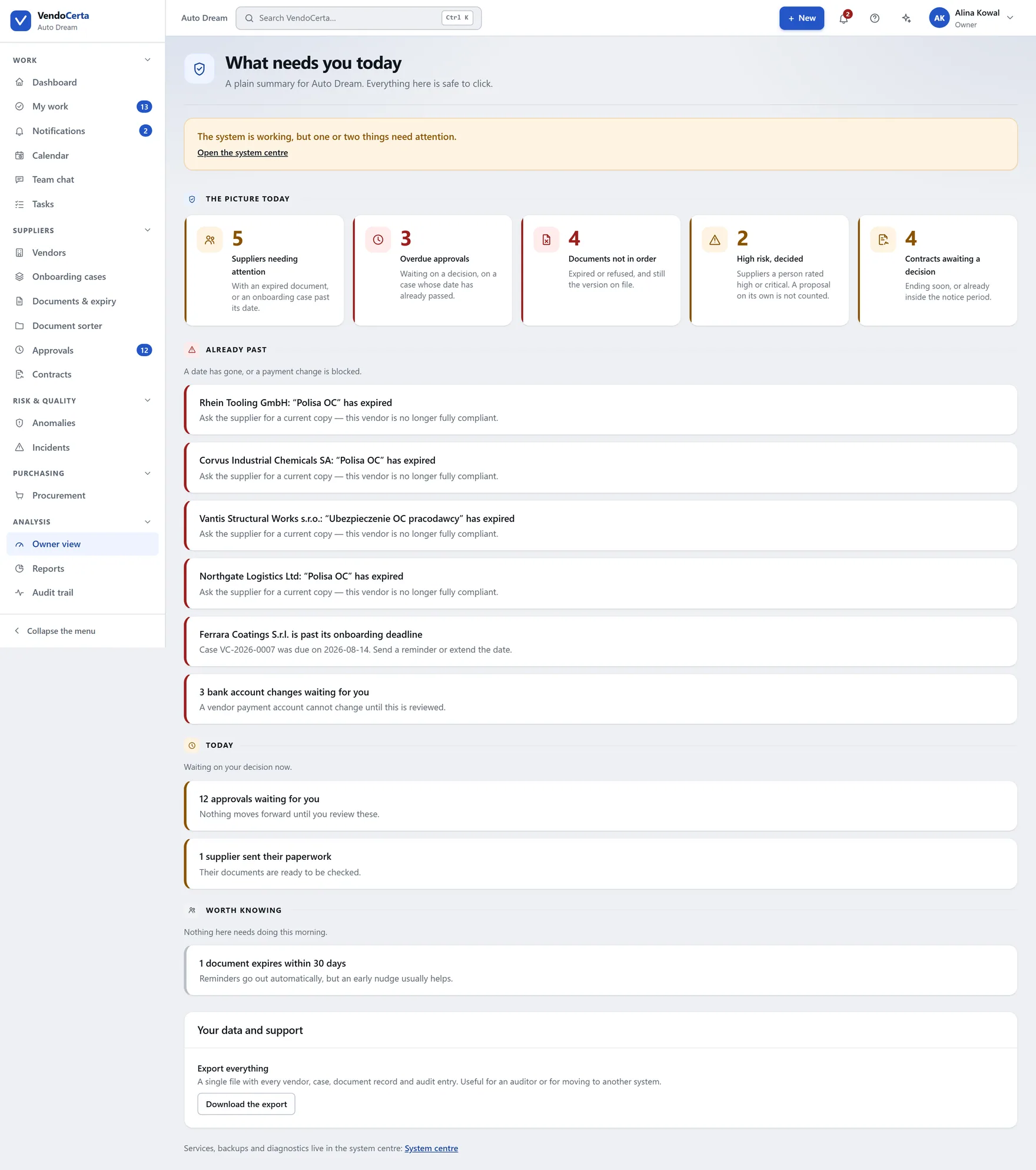
A tile with a number on the dashboard becomes, here, a named supplier, a specific deadline and a specific decision — grouped by urgency: already overdue, today, this week, worth knowing. An empty group does not appear at all.
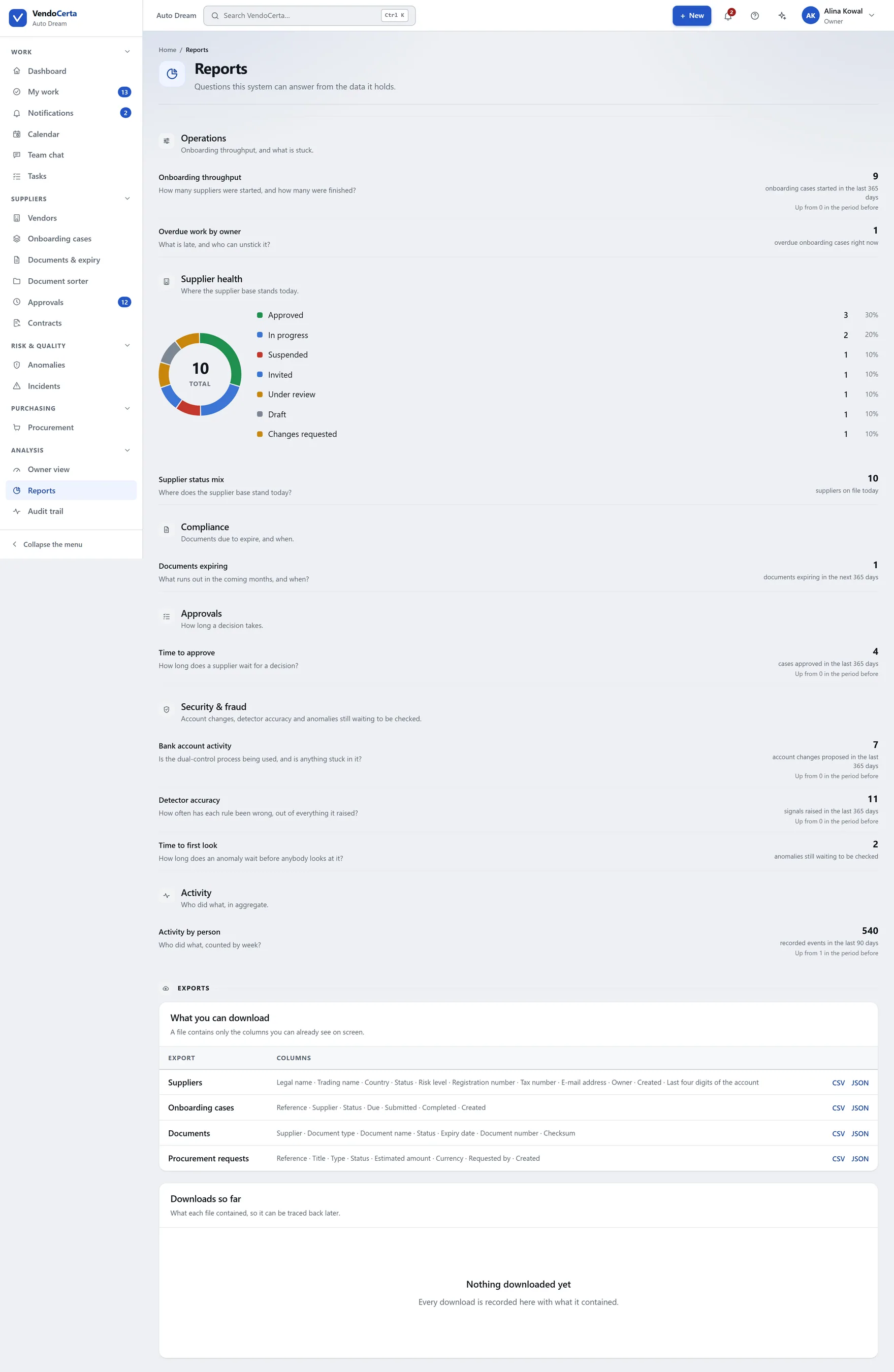
Standing reports across the register, the documents and the decisions — drawn from the same records the audit trail is written from.
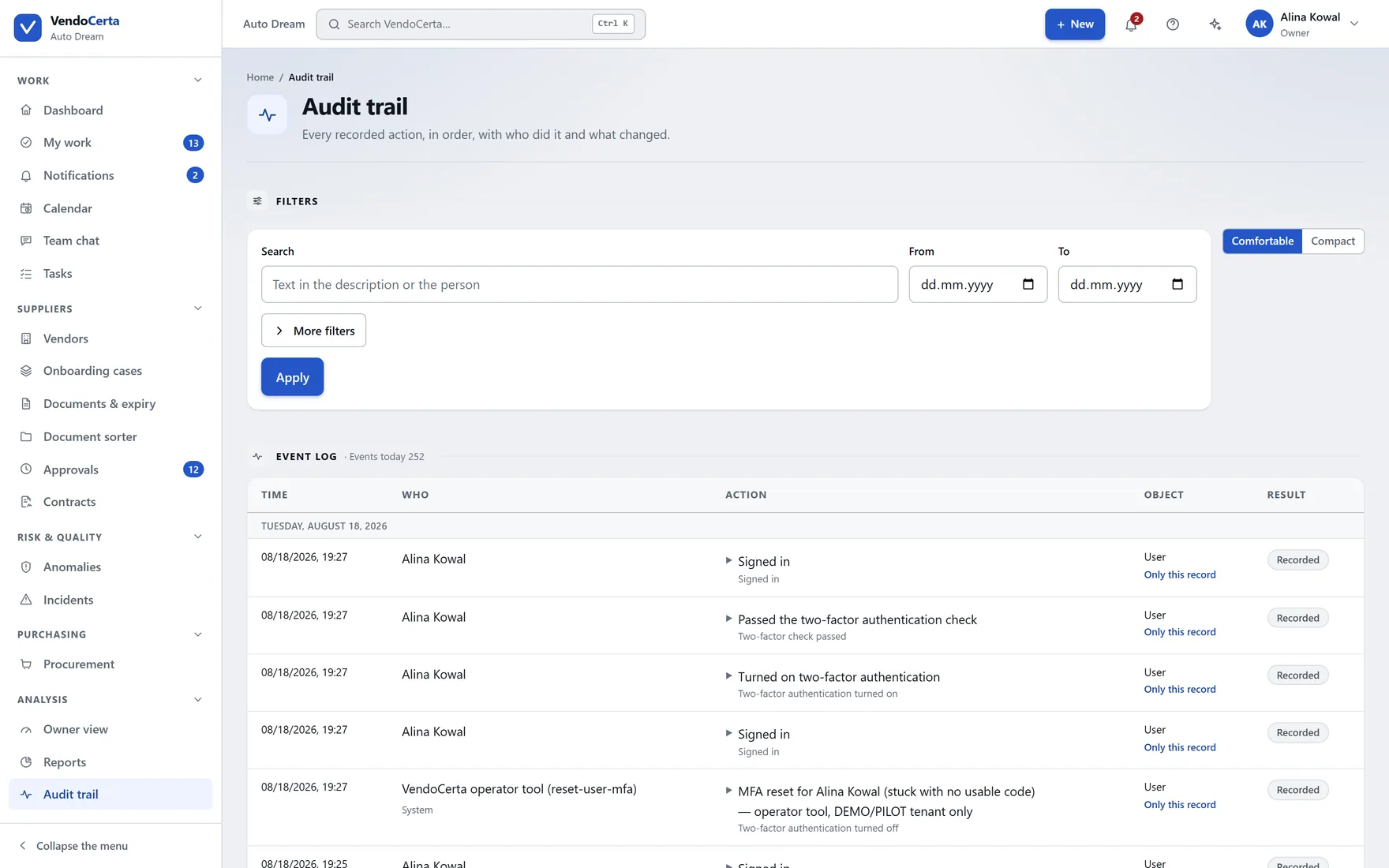
Who did what, when, and — for a data change — what the values were on both sides of it. No role can edit or delete an entry.
The assistant
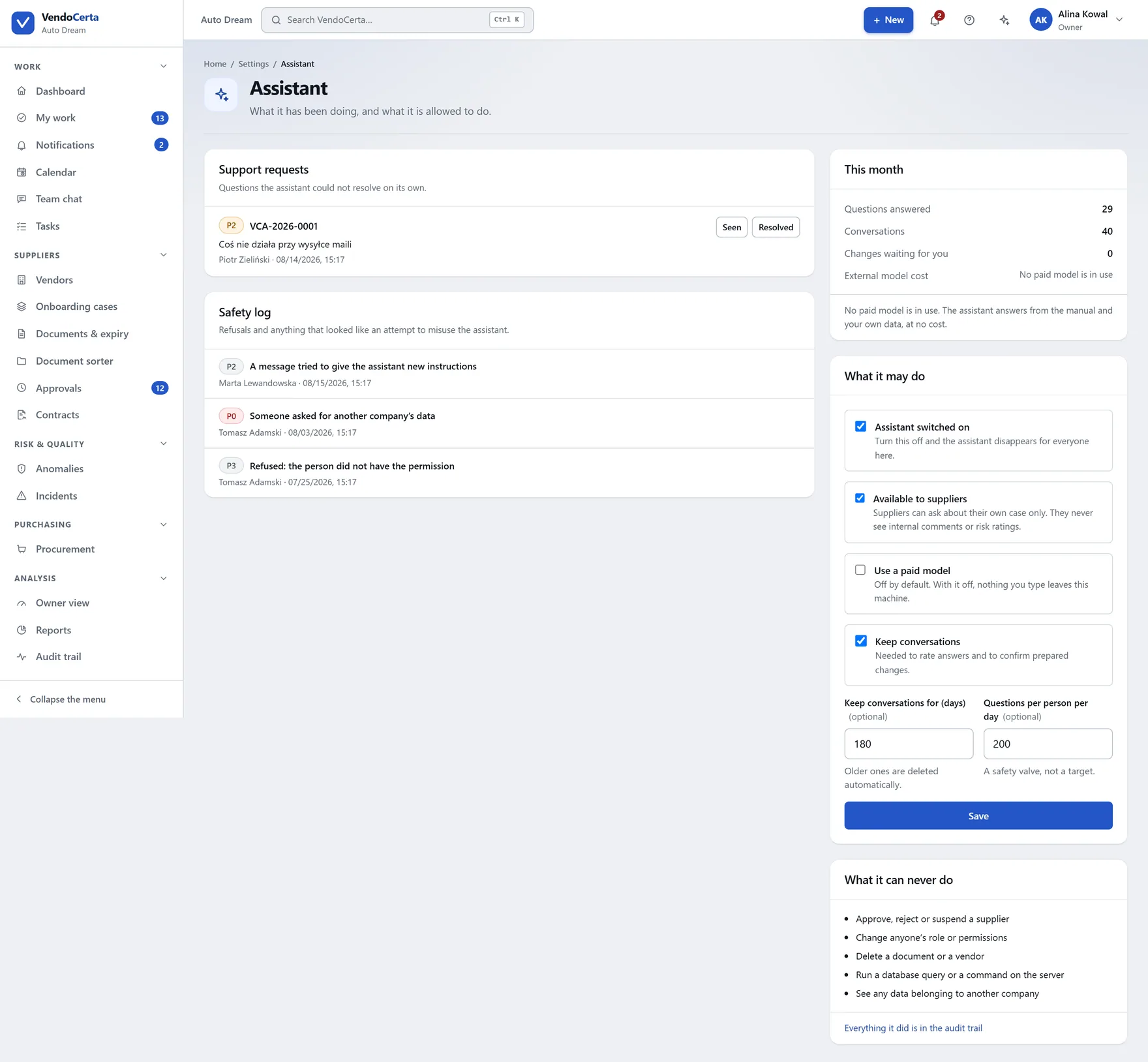
Called from the sparkle in the top bar on any screen. On a wide display it docks as a resizable column beside the content — so you can still see the thing you are asking about — and only covers it when there is genuinely no room.
It knows where you are
The assistant reads the screen and the record from the page address, which is why “why can’t I approve them?” works without naming the supplier.
It shows its working
Answers end with a collapsible “Based on” — the manual excerpts or specific records it relied on — and a few buttons suggesting the next question.
It escalates honestly
Ordinary uncertainty just says so. A real ticket, with a readable reference, is raised when you press “didn’t help”, when tools fail repeatedly, or when the language model provider is briefly unavailable.
Suppliers get it too
A scaled-down version sits in the supplier’s own onboarding portal, answering only about their case and their form.
The hard limit
It never approves, rejects or suspends a supplier, never changes a role, and never deletes anything — even asked directly. Anything it would do is written down first and waits for a human click, and permissions are re-checked at that click against the person making it.
Purchasing
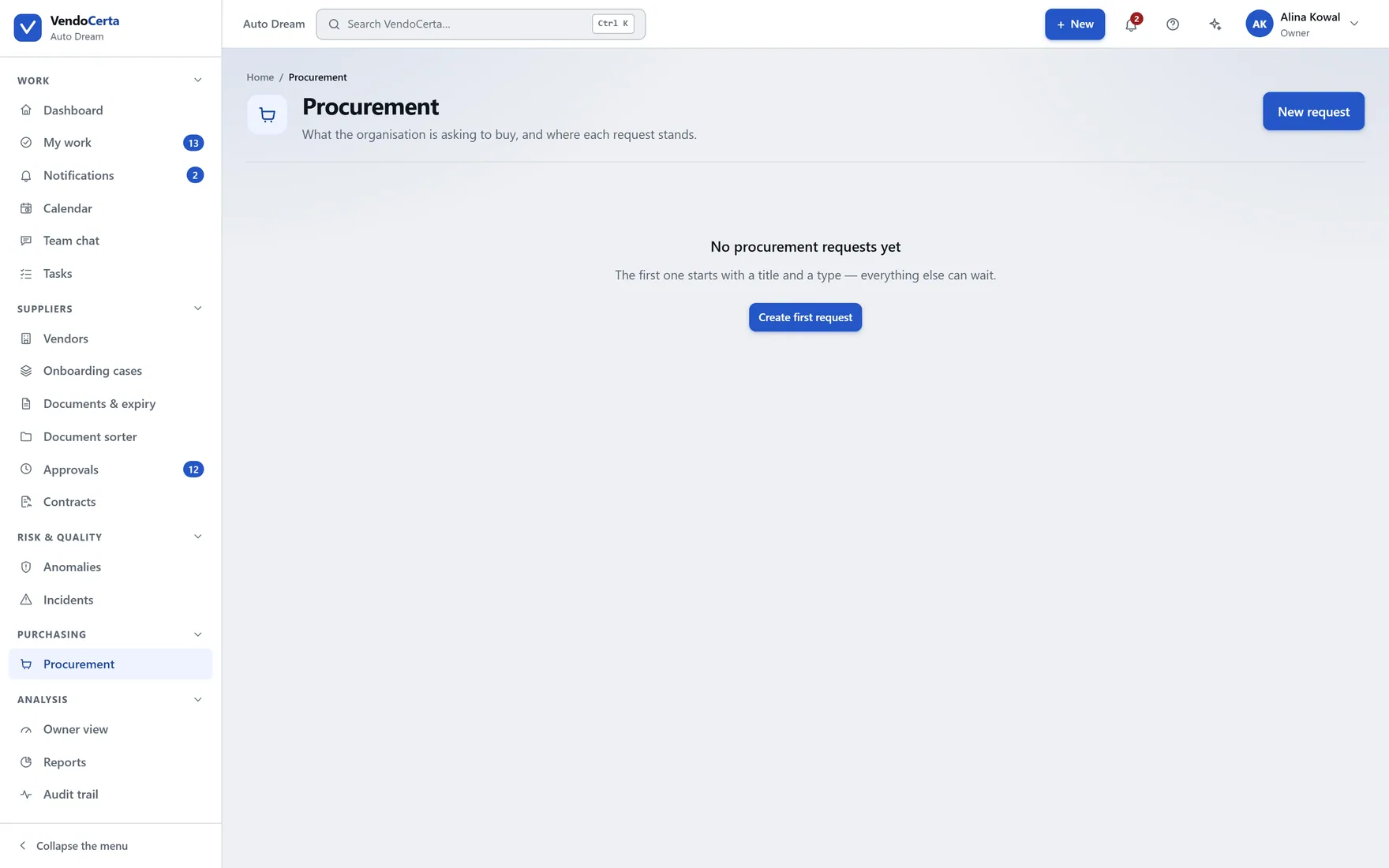
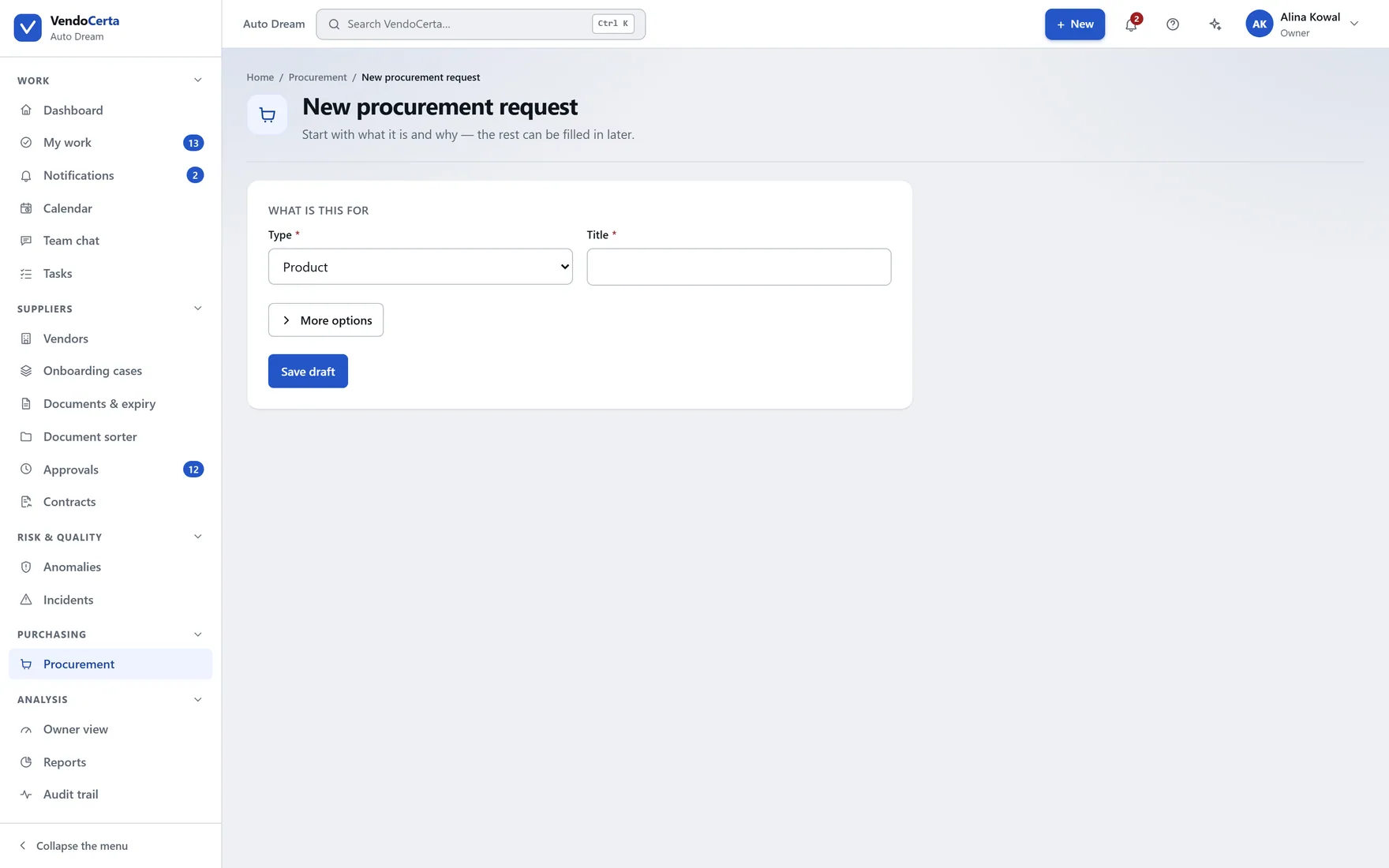
Procurement intake is the first VendoCerta Plus module to ship — and the one the entitlement system was first enforced through for real, across pages, API routes, navigation, calendar, search, My work and the assistant. Who asked, for what, against which supplier, and who has to agree.
Administration
Settings decides what your organisation’s process is. The system centre reports on what the installation is doing. They were one screen once; splitting them means the person running the business and the person running the server are not looking at each other’s work.
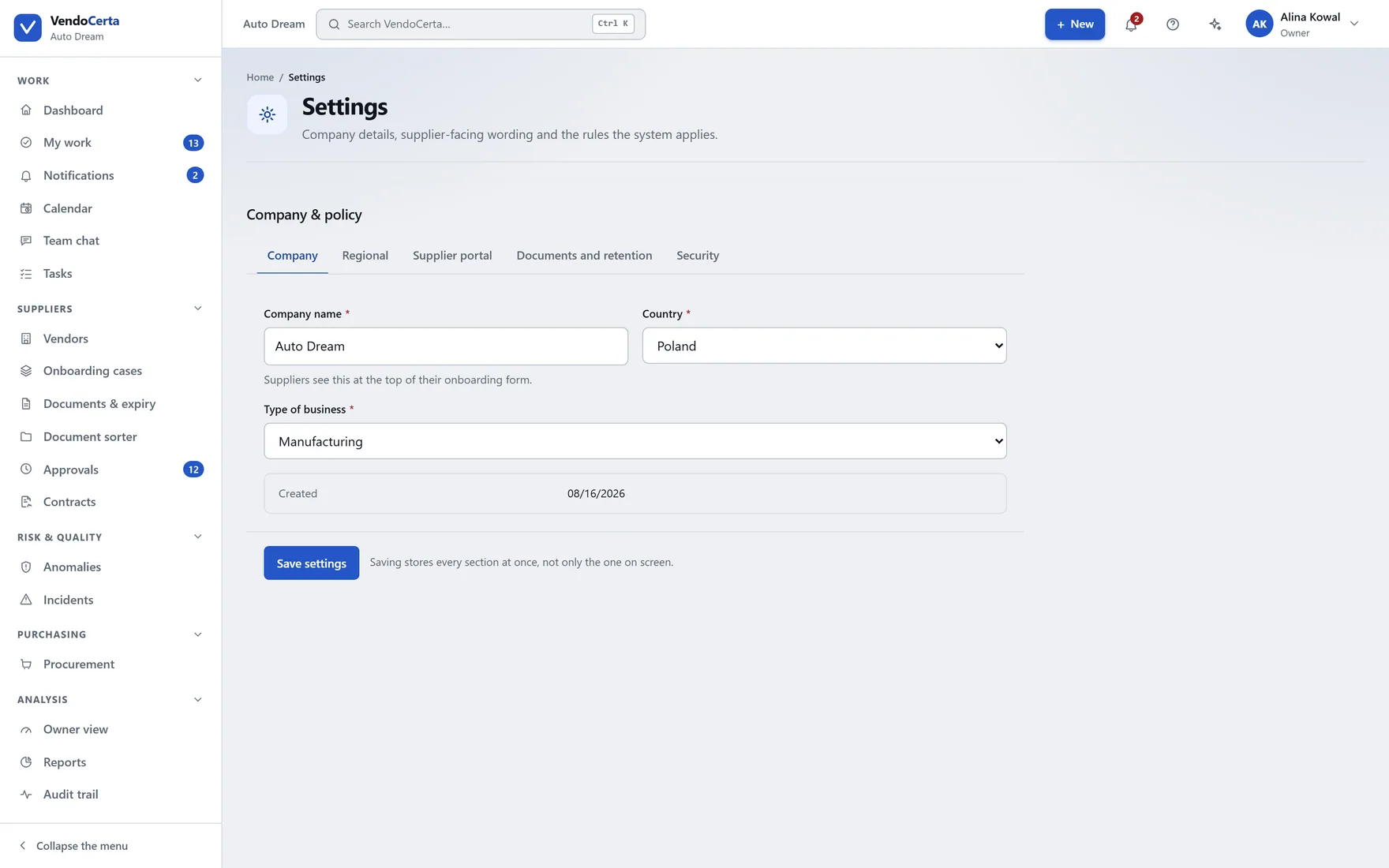
Name and support address the supplier sees, welcome message, defaults for a new supplier — and the security-relevant numbers: how long an invitation link lives, how long documents are kept, the largest file a supplier may upload.
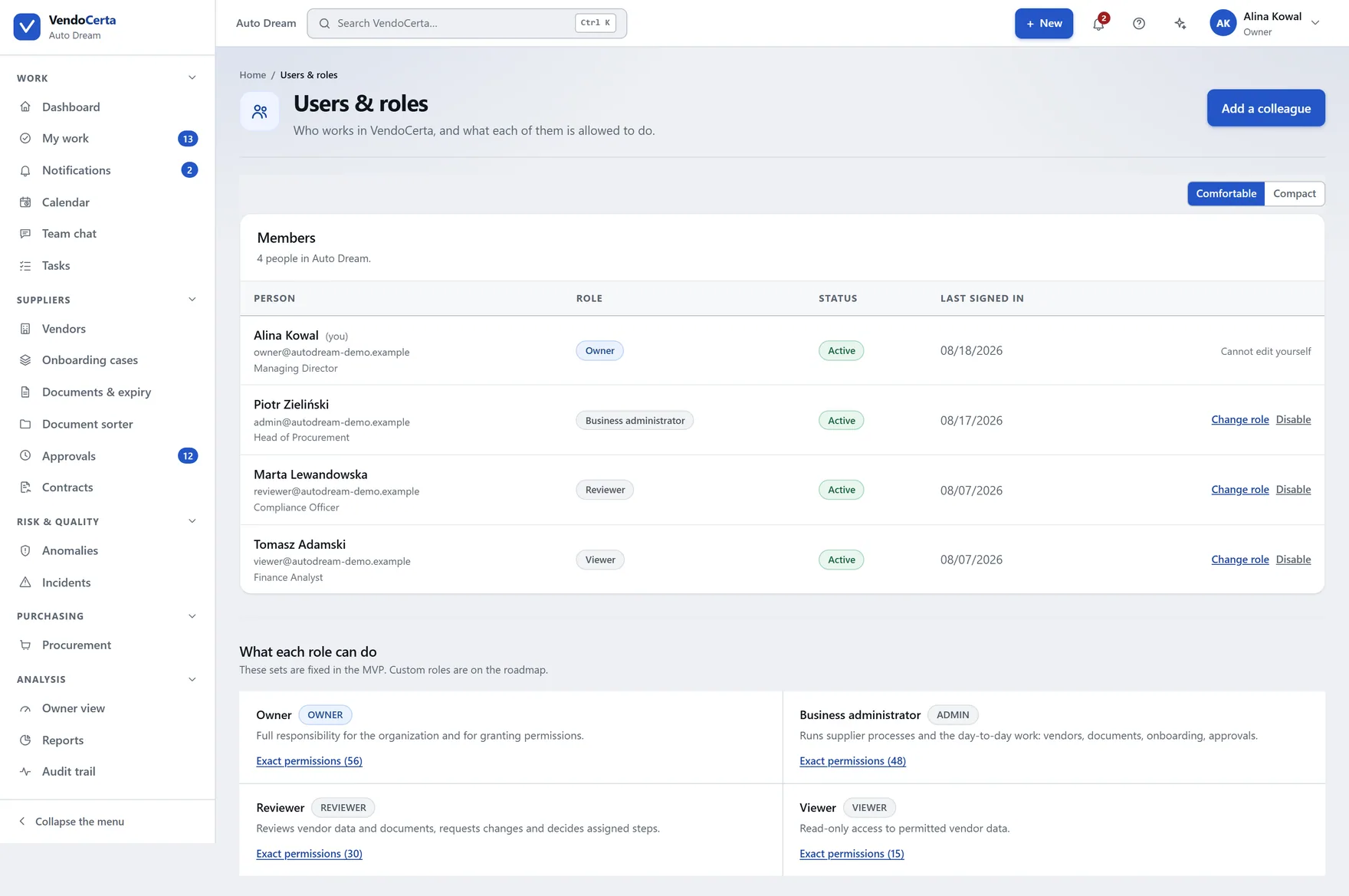
Five roles with deliberately different blind spots. Nobody can change their own role, and the last remaining owner cannot be demoted or disabled.
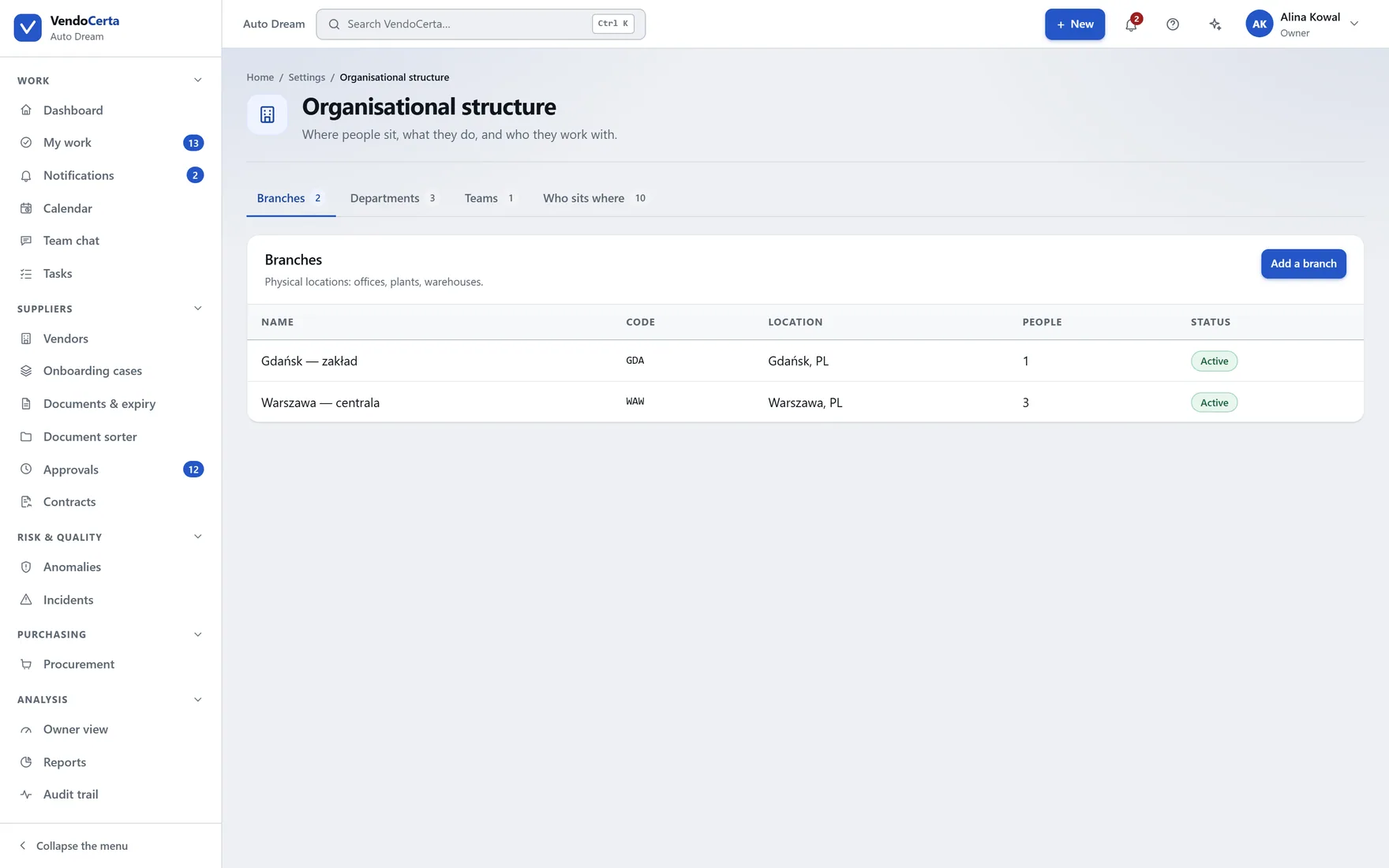
How the organisation is arranged, for installations where the supplier side is not one flat team.
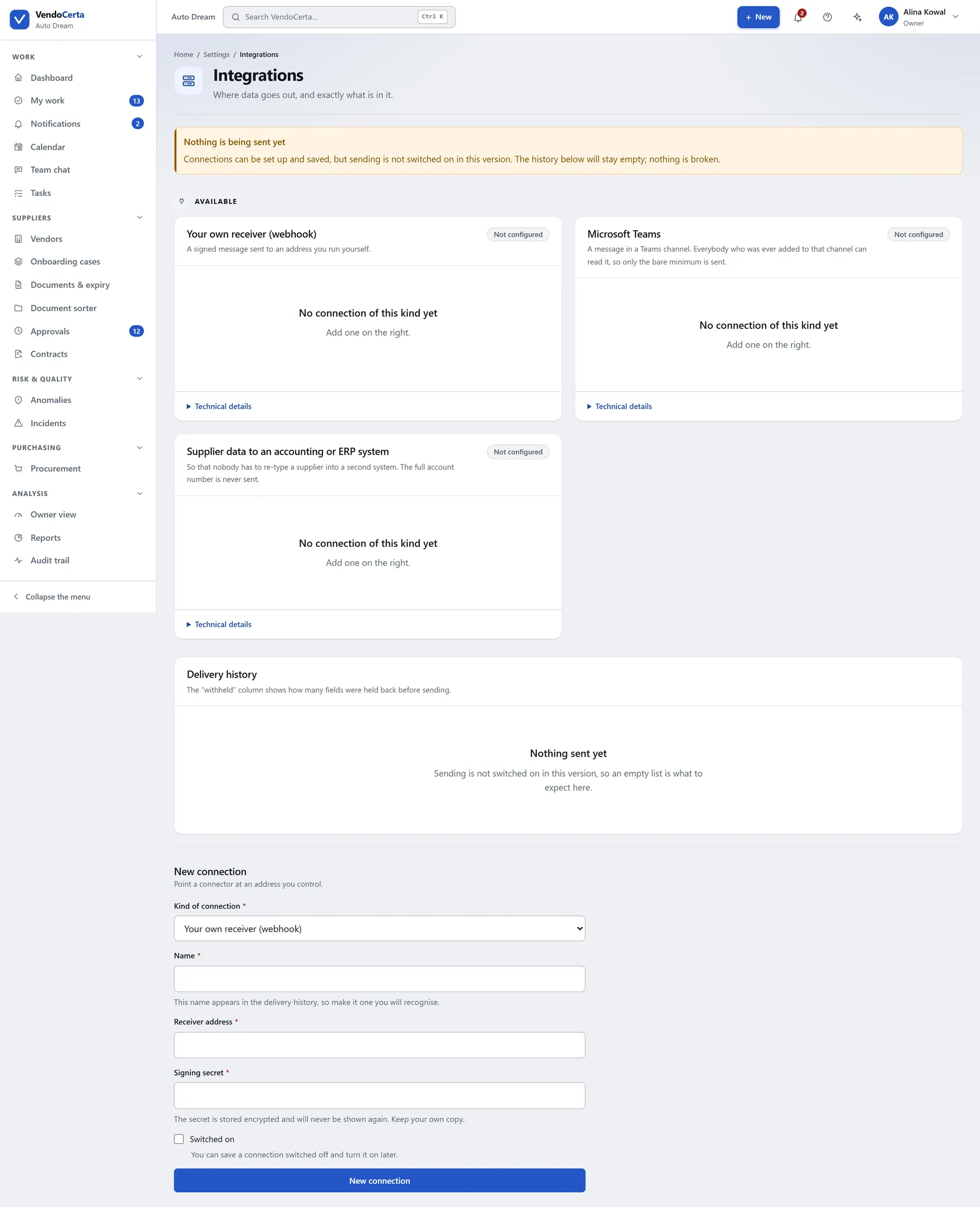
Owner-only, deliberately: connecting the installation to anything else is not something an administrator can do quietly.
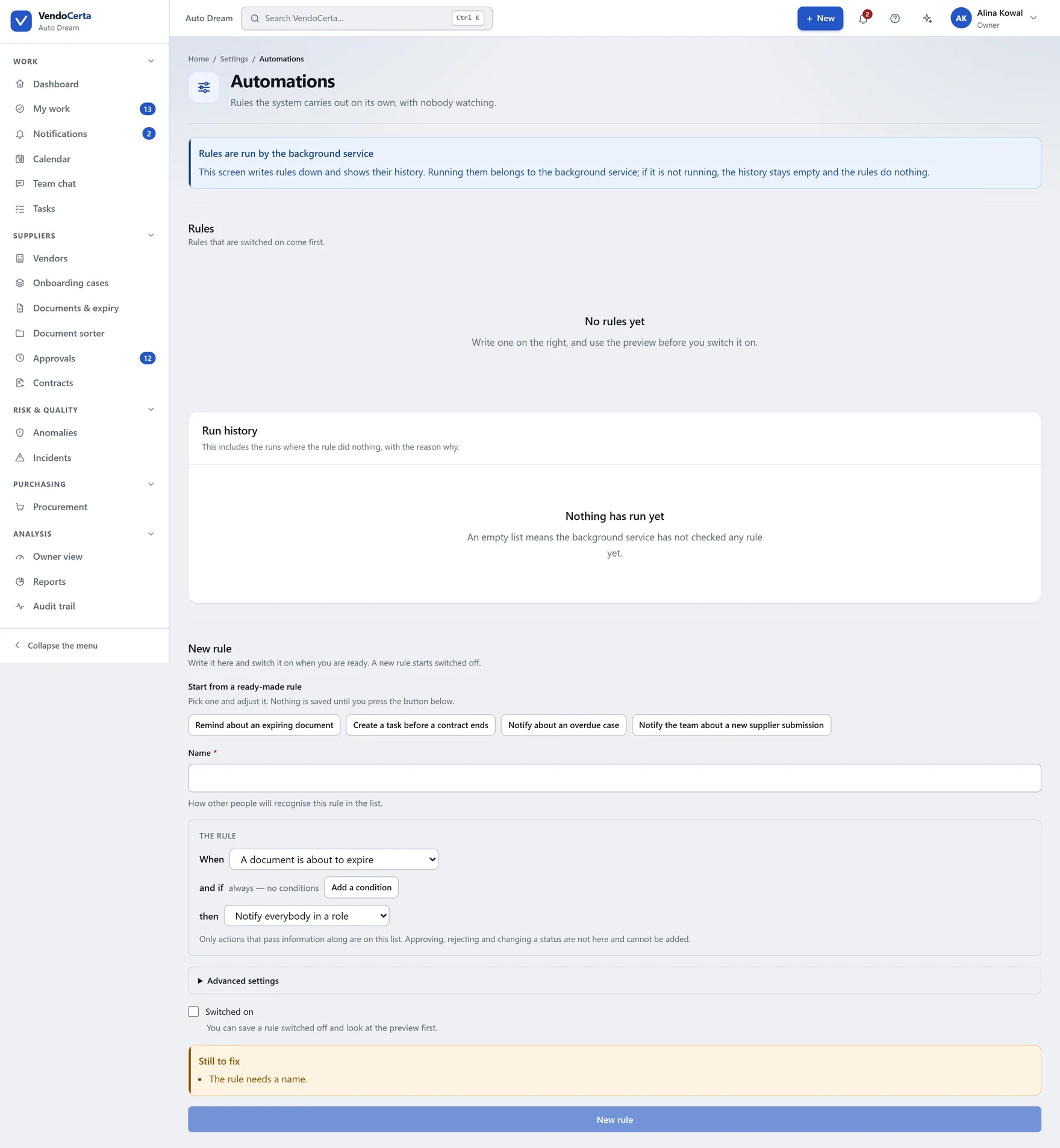
Rules acting on events the product already records. Shipping as a preview — its own description still owes an honesty pass before we call it finished.
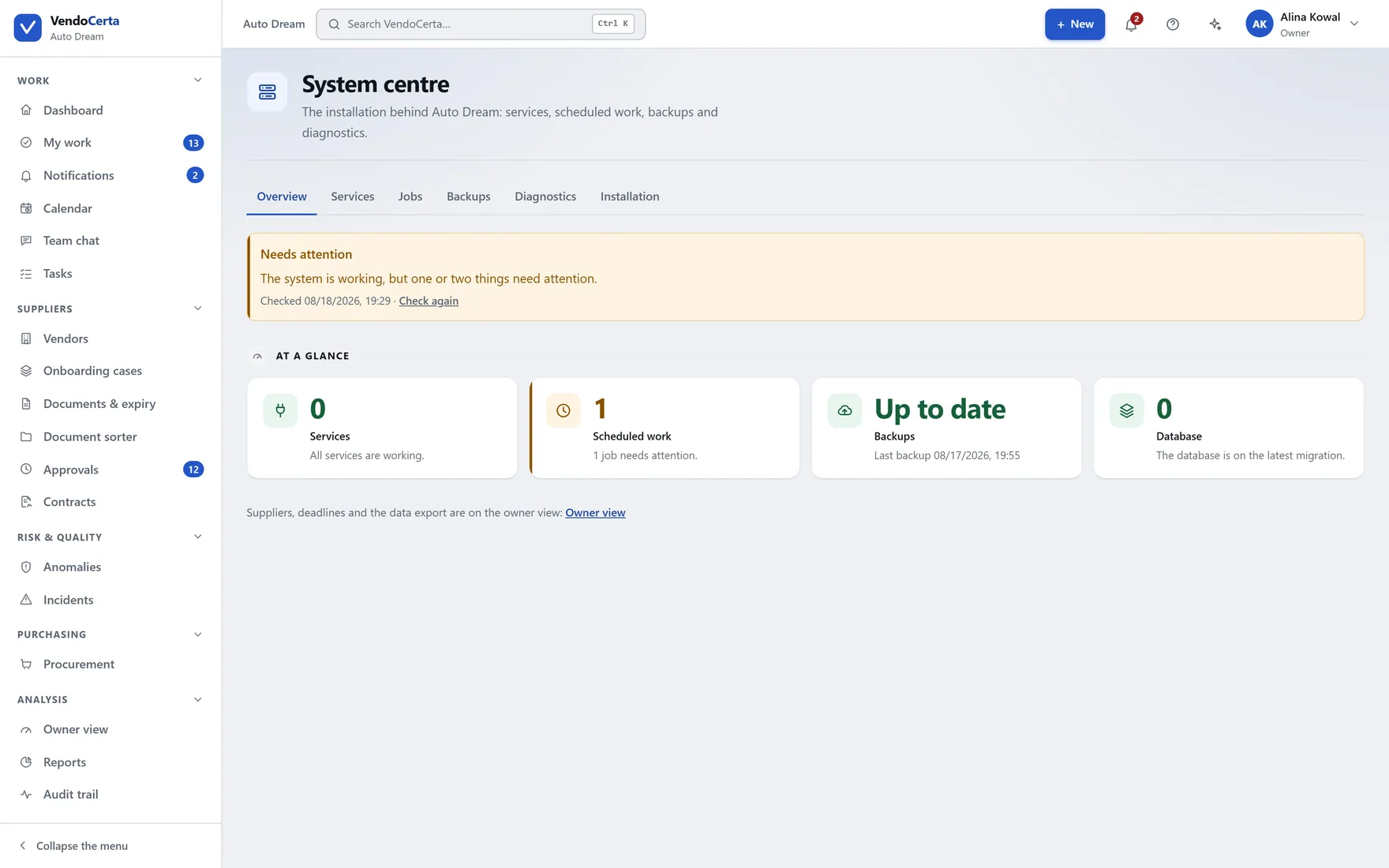
Services, backups, background jobs, diagnostics and version. Its diagnostics tab produces a support report of versions, counts and masked log lines — never document contents or personal data.
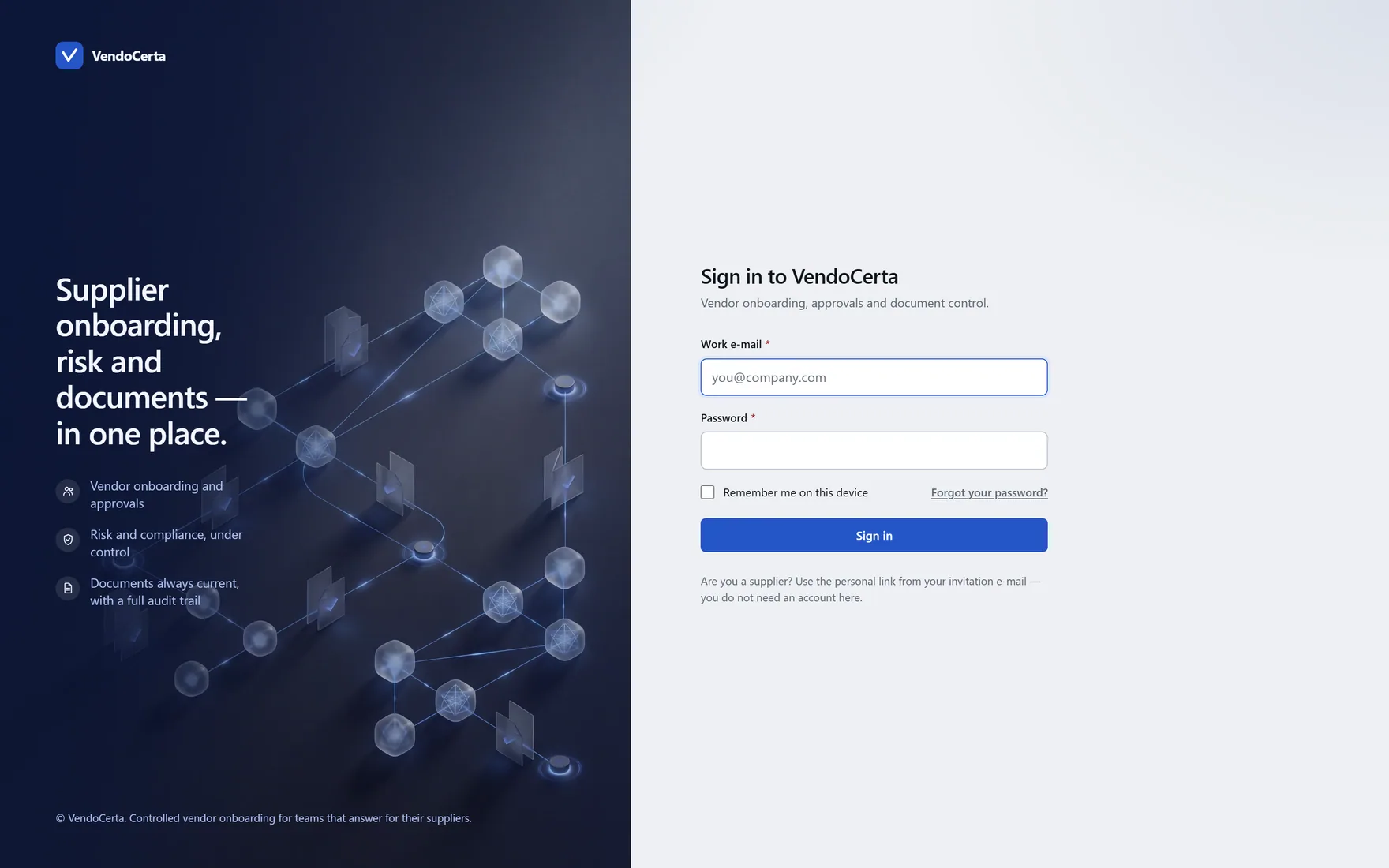
Getting in
Owner, business administrator, system administrator and reviewer cannot skip the second factor — on first sign-in the product takes them to set it up before it will show them anything. An observer may turn it on and does not have to.
A demo runs against your kind of supplier, not ours.