Skip to content
VendoCerta

Academy

The training is not a PDF somebody has to be sent.

Seventy-five narrated screen recordings of the real application — 37 in English, 38 in Polish — are installed with VendoCerta and reachable from inside it. A new starter learns the product in the product, mid-task, without an account on a training platform.

One of the seventy-five tutorials installed with the product. Nothing here is a slide — it is the running application, narrated.

Why this is a buying consideration

Rollout is where supplier software usually dies.

Not because people dislike the tool — because six weeks after go-live, half the team is still doing it the old way and nobody has time to teach them. Three things in VendoCerta are aimed squarely at that.

Recorded against the real thing

Every tutorial is a screen recording of the running application with a narrator, not a slide deck or an animation. When the product changes, the recording is regenerated from the same script.

Help where the confusion happens

Every screen carries its own guidance behind the question mark in the top bar — the tips that used to sit in coloured banners above the content, moved to where they are asked for rather than shown daily.

Eight languages, chosen per person

Polish, English, German, Spanish, French, Italian, Russian and Ukrainian. Your colleague can work in a different one with no effect on you — and a supplier’s form language is chosen separately again.

A few more of the seventy-five

What the other recordings look like.

Four more of the thirty-seven English tutorials, each a capture of the real screen it teaches — the full list, grouped by topic, is below.
app.vendocerta.com/vendors
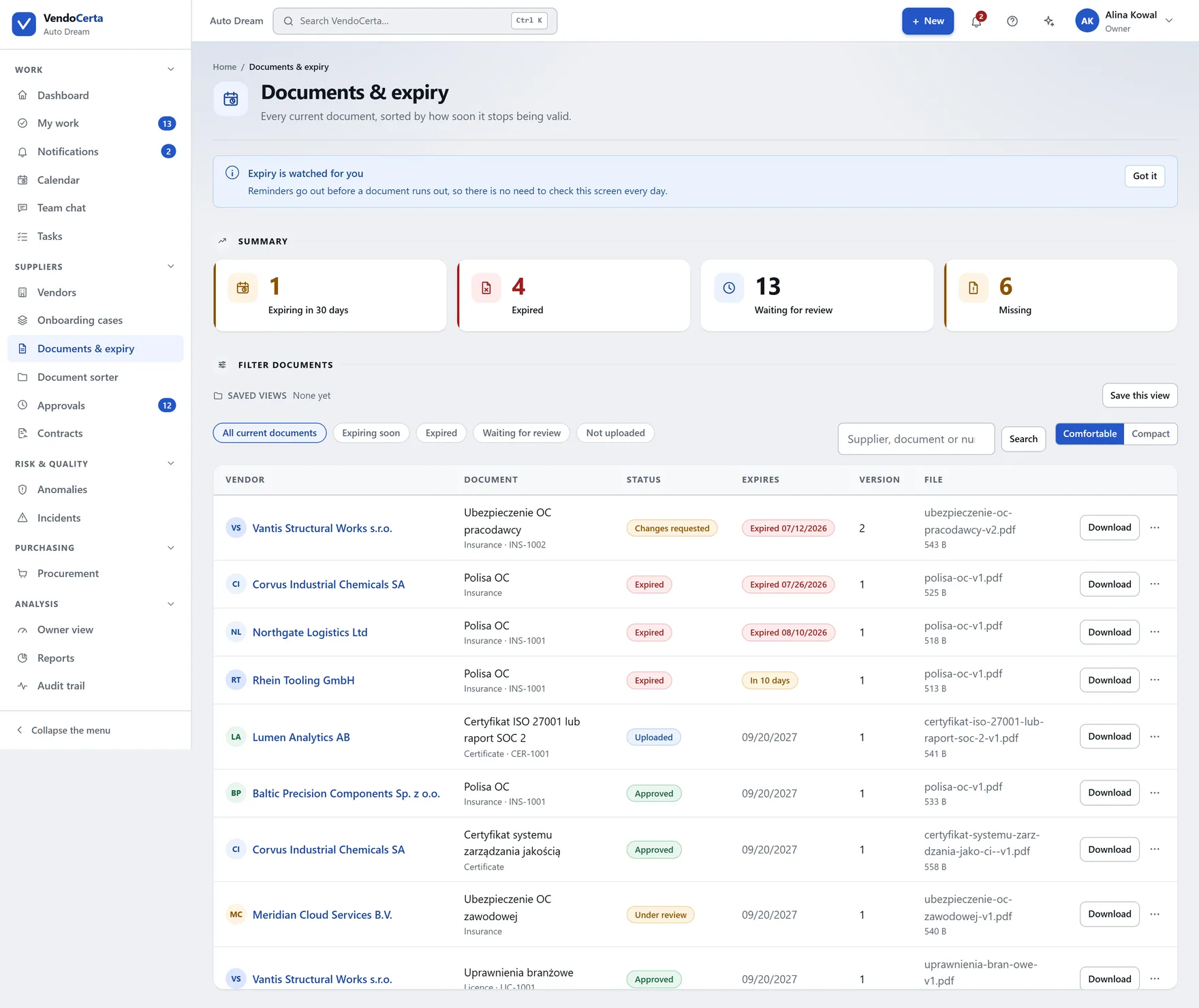
The Vendors screen: summary tiles for all vendors, approved, in onboarding and high risk, above a filterable table of suppliers with status, risk level, country and internal owner.

The vendor list

2:51 · narrated

app.vendocerta.com/documents
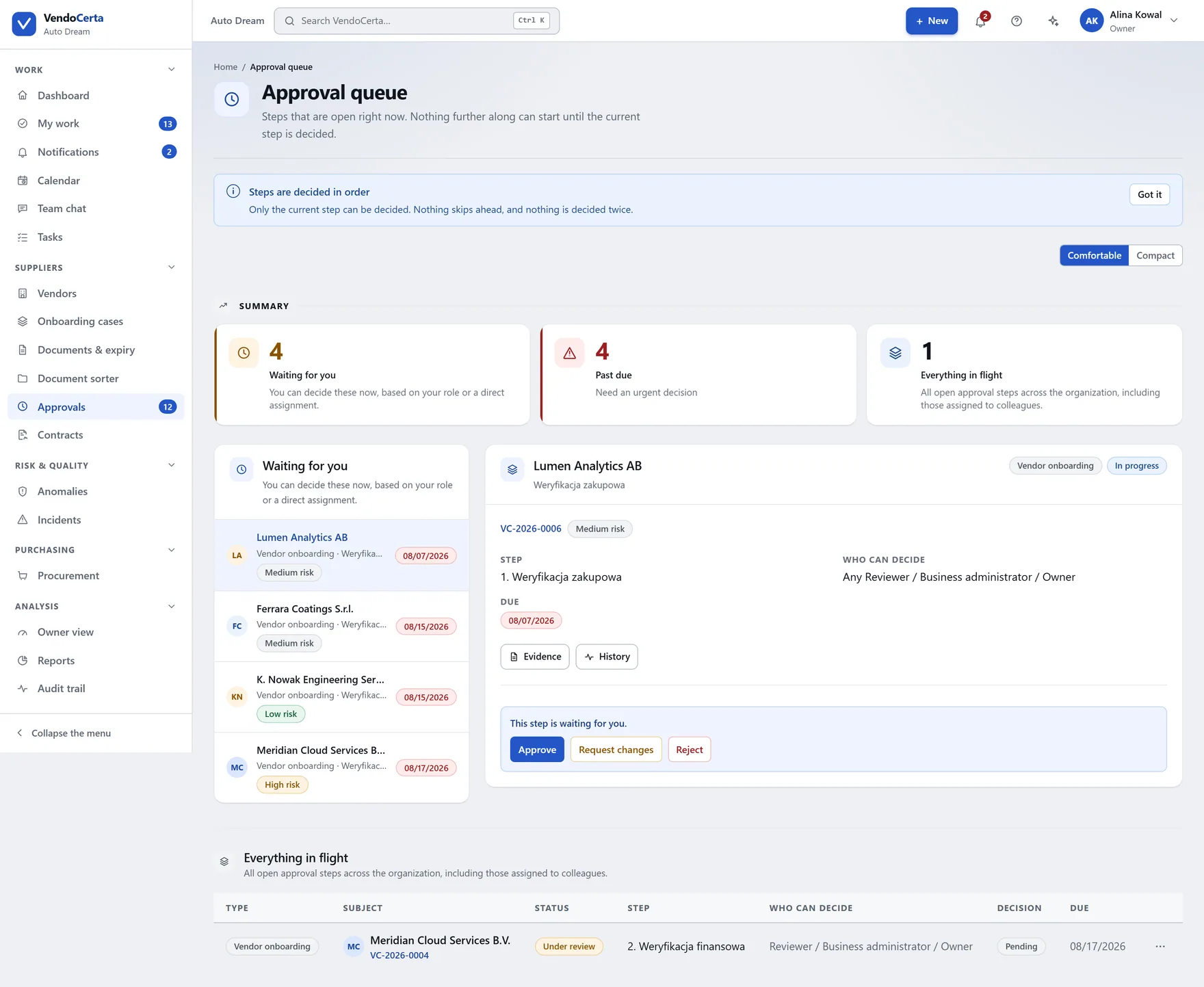
Documents and expiry: counters for expiring within 30 days, expired, awaiting review and missing, above every current document with its status, version and expiry date.

Documents & expiry

3:13 · narrated

app.vendocerta.com/approvals
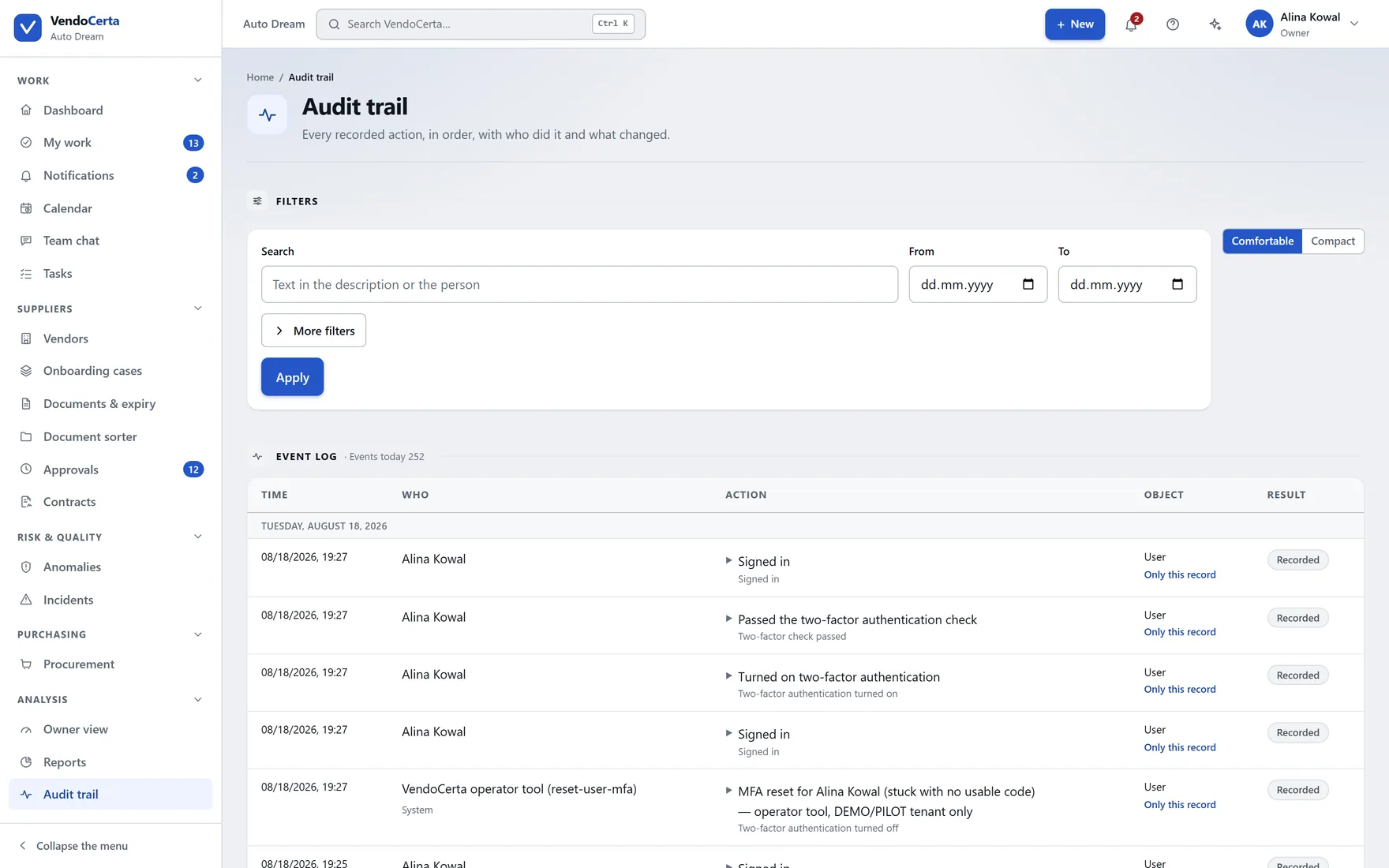
The approval queue: counters for waiting on you, overdue and all in progress, with the decision panel opening beside the queue.

Approvals

3:01 · narrated

app.vendocerta.com/audit
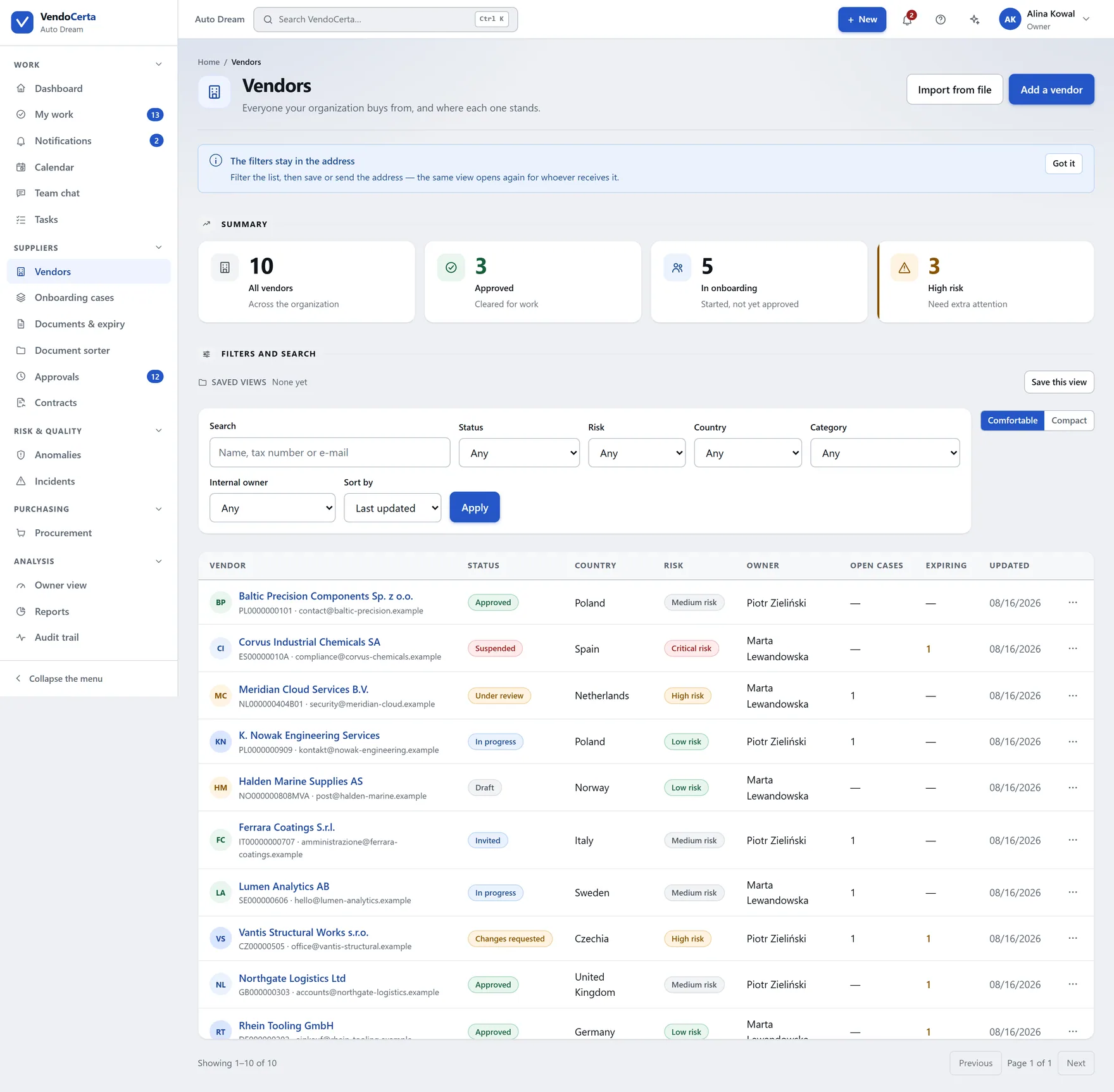
The audit trail: a five-column table of time, who, action, object and result, with filters for category, event type, object, person and date range.

The audit trail

3:14 · narrated

The curriculum

Thirty-seven tutorials, in the order somebody actually needs them.

From signing in, through the register and onboarding, to the administration screens most people never open. Every one of them is on the installation from day one.
Getting in and getting oriented

  • Signing in
  • The dashboard
  • My work
  • Owner view
  • Help and first steps

Suppliers

  • The vendor list
  • Adding a vendor
  • The vendor record
  • Importing vendors

Onboarding

  • Onboarding cases
  • Templates
  • Documents & expiry
  • The document sorter
  • Approvals

The relationship over time

  • Contracts
  • The contract form
  • Tasks
  • The task form
  • Calendar
  • Checks
  • Incidents

Talking to each other

  • Notifications
  • Team chat

Purchasing

  • Procurement intake
  • Raising a request

Analysis

  • Reports
  • The audit trail

Running the installation

  • Users and roles
  • Company settings
  • Security settings
  • Licence
  • Structure
  • Integrations
  • Automations
  • Assistant settings
  • System centre
  • The Academy itself
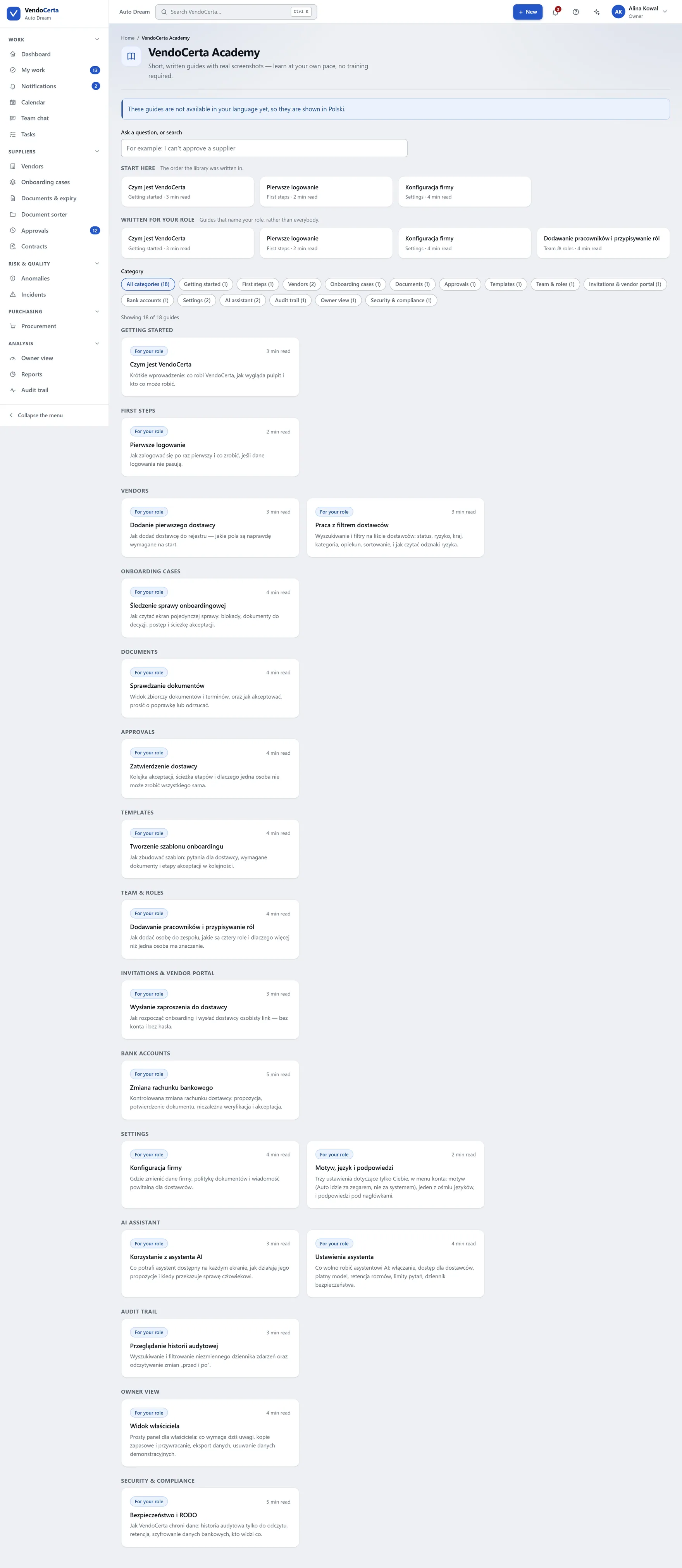
app.vendocerta.com/academy
The Academy inside the product: narrated screen recordings of the real application, grouped by topic.

The Academy screen inside the product, grouped by topic — the same recordings, reachable without leaving the application.

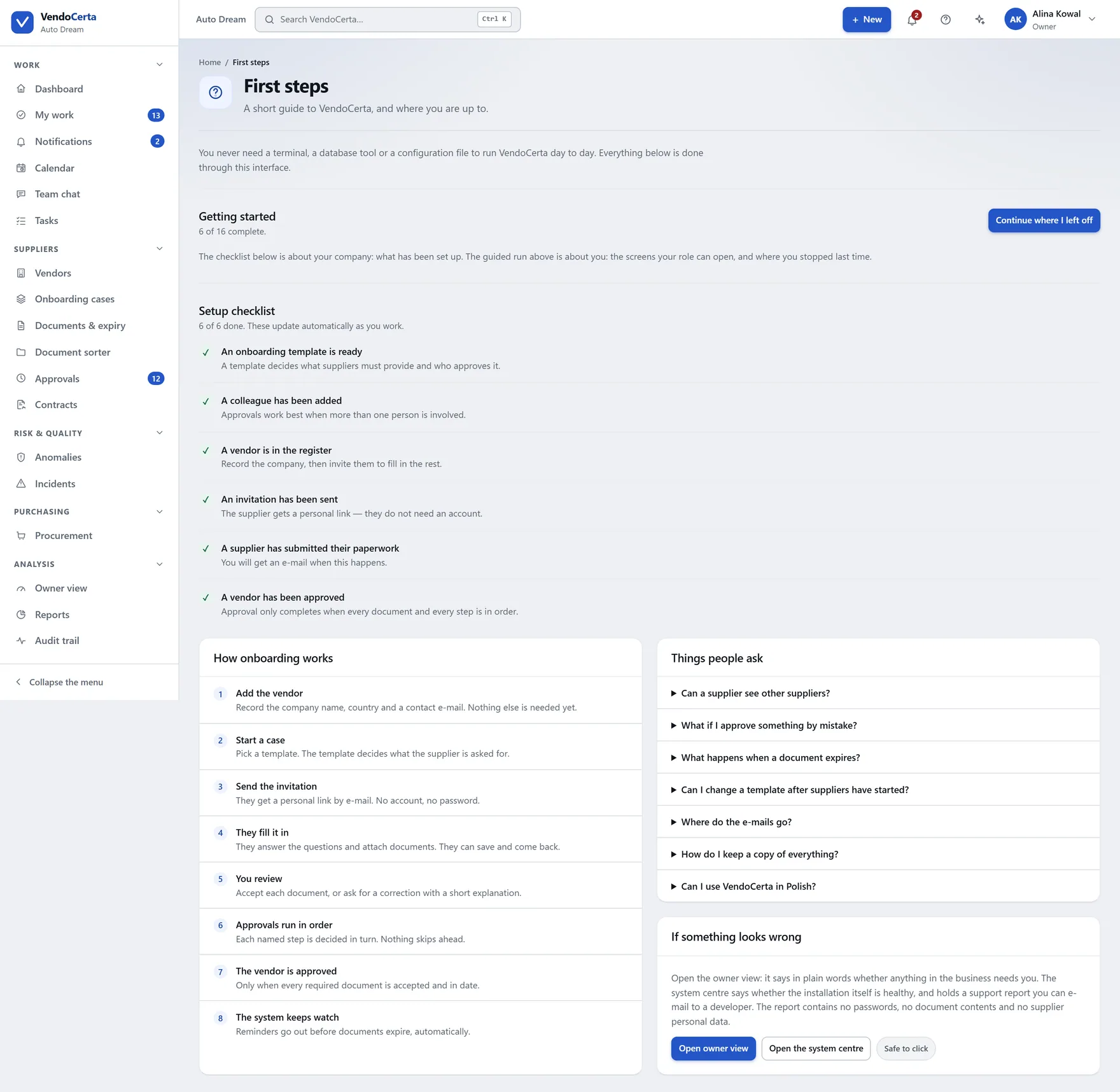
app.vendocerta.com/help
The help panel and first steps, reached from the question mark in the top bar on every screen.

Help and first steps, behind the question mark in the top bar.

In the moment

The tips moved to where they are wanted.

VendoCerta used to put a coloured banner of shortcuts above several screens. Those tips have not been deleted — they moved behind the question mark, so you reach for them when you need them instead of scrolling past them every day.

Alongside it sits the assistant, which will answer the same question in your own words, from the manual, in your own language — and, if what you actually want is an action, will write down what it would do and wait for you to press the button.

How quickly could your team be using this?

Tell us the size and shape of the team and we will be specific about it.

Request a demo